
Beyond Page Views: Analysing Content Engagement with Google Tag Manager
If we don't know how visitors behave on our website, we don't know which content (such as a blog post) resonates with them and which doesn't. We also need to find out which content should be improved to make it more attractive to visitors.
A powerful and user-friendly tool, Google Tag Manager (GTM), can help. This article shows how to create a simple and effective solution for tracking "likes" on blog posts. This solution can help you make better content management and production decisions based on audience needs. In addition, tracking "likes" can help identify areas where content needs improvement.
GTM offers customization and integration options, as well as real-time tracking of user interactions. These features make it a powerful tool for gaining insight into user behaviour and improving the user experience. It allows easy identification of trends and necessary adjustments.
We can only evaluate content quality based on user feedback, which is often difficult to obtain and measure. Typically, users do not want to spend time giving long and complex feedback, but we miss important clues in that case.
GTM is an excellent tool for tracking user activity and getting feedback. The great advantage is that marketing and sales teams can handle these solutions without bothering developers.
First, let's clarify some theoretical basics.
Google Tag Manager (GTM) is a free tool that allows business developers to manage and apply their website tags in one place. Tags are code snippets that make it easy to track visitor activity without involving developers, as they do not require JavaScript coding. GTM is particularly effective with another tool - Google Analytics (GA).
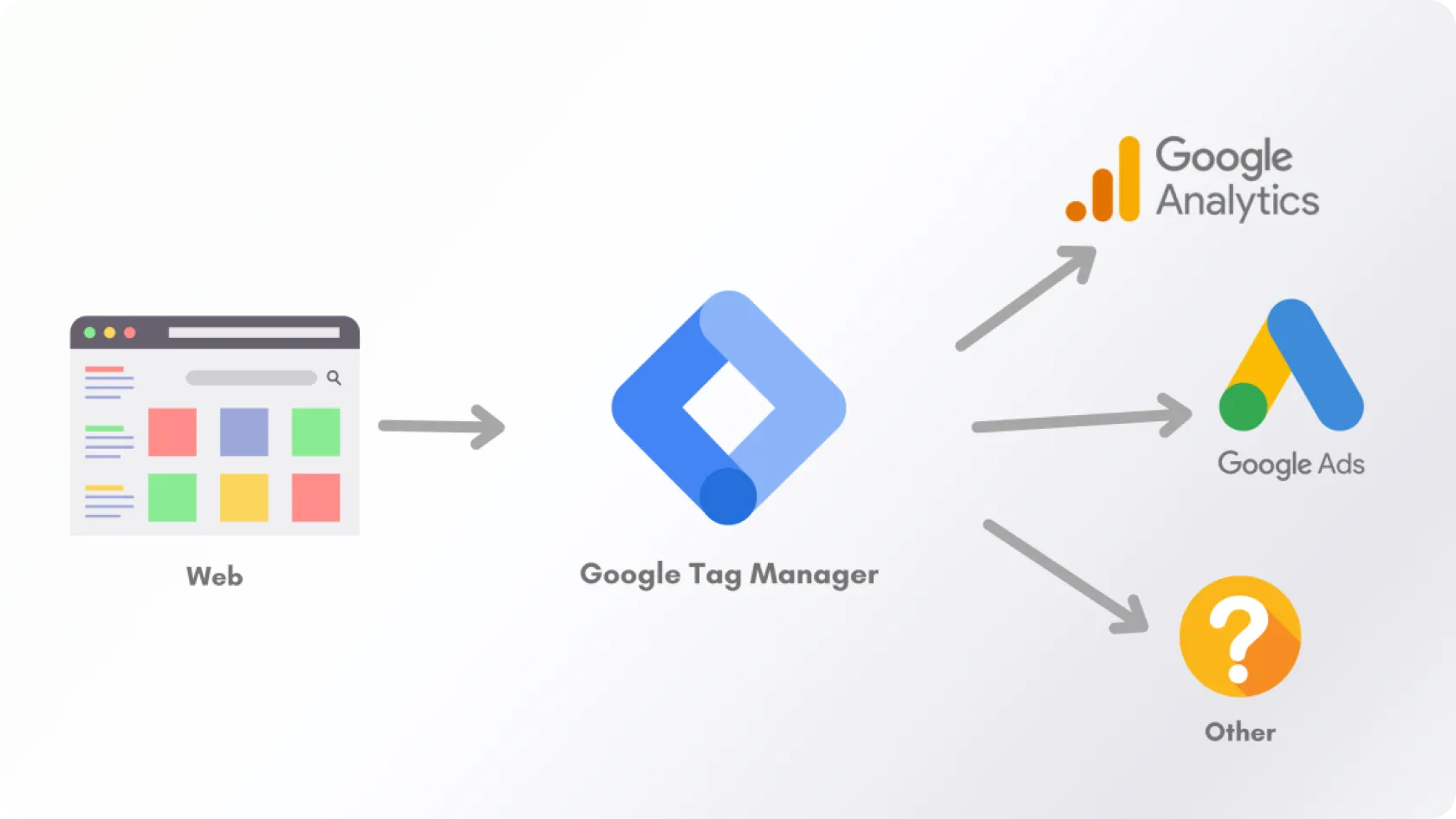
Figure 1. Google Tag Manager
What is the difference between Google Tag Manager (GTM) and Google Analytics (GA)?
Google Analytics (GA) and Google Tag Manager (GTM) are free tools. GA helps analyze a company's website or blog and provides a comprehensive overview of digital and marketing campaigns. Both tools are often used together to understand website performance better.
GA is primarily used for analyzing website data, while GTM is used for sending data to GA. GTM is a tool used for tag implementation and storage, but it does not have the ability to analyze reports. Therefore, data is sent to GA.
Important features and main uses of Google Tag Manager (GTM)
GTM has three main components:
- tag – a small part of Javascript code or tracking pixel;
- trigger - determines when, where, or how the tag should be activated;
- variable - provides additional information necessary for the proper functioning of the tag and trigger
Tags are small pieces of code used for collecting data or performing specific actions on a website. They can be used to track analytics, set up remarketing campaigns, or even trigger conversion pixels.
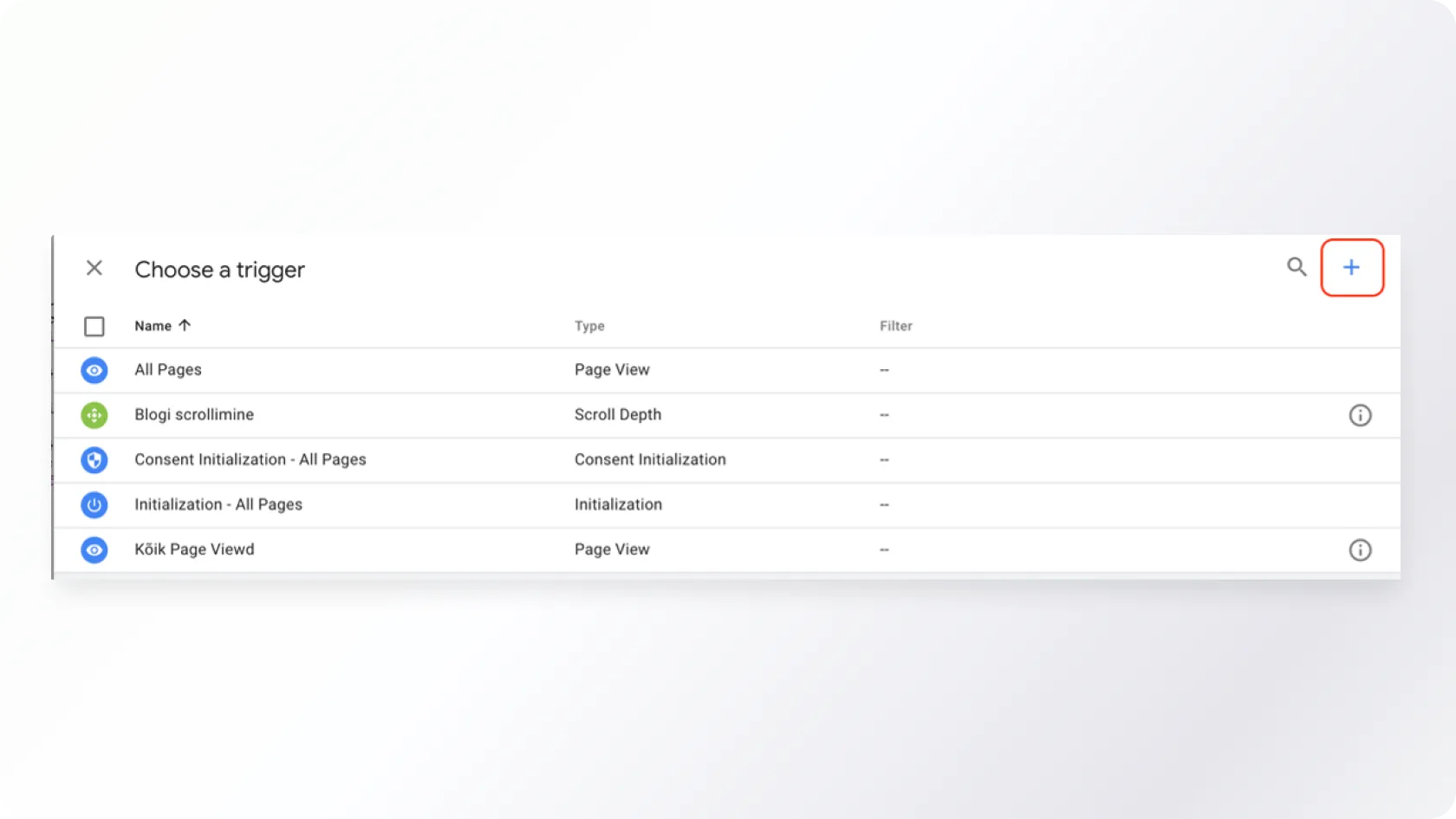
Triggers are used to determine when the tag should be activated on a website. The trigger is essentially a set of conditions that must be met before the tag is activated
Variables are used for storing and retrieving data used in tags and triggers. They can store information such as a specific page URL, button text, or form field value.
GTM has the potential to track a large amount of marketing activity, but the most commonly used functionalities are:
- downloads
- scrolls
- clicks
- forms
- videos
A practical guide for tracking "likes" using Google Tag Manager (GTM)
Knowing whether posts are pleasing to readers is important because it helps to understand what type of content appeals to visitors and what does not. We can use this information to create more engaging and relevant content, increasing the number of people visiting the website and encouraging them to share or save posts.
In addition, understanding user preferences can help identify areas that need improvement, such as making posts more readable or adding more images.
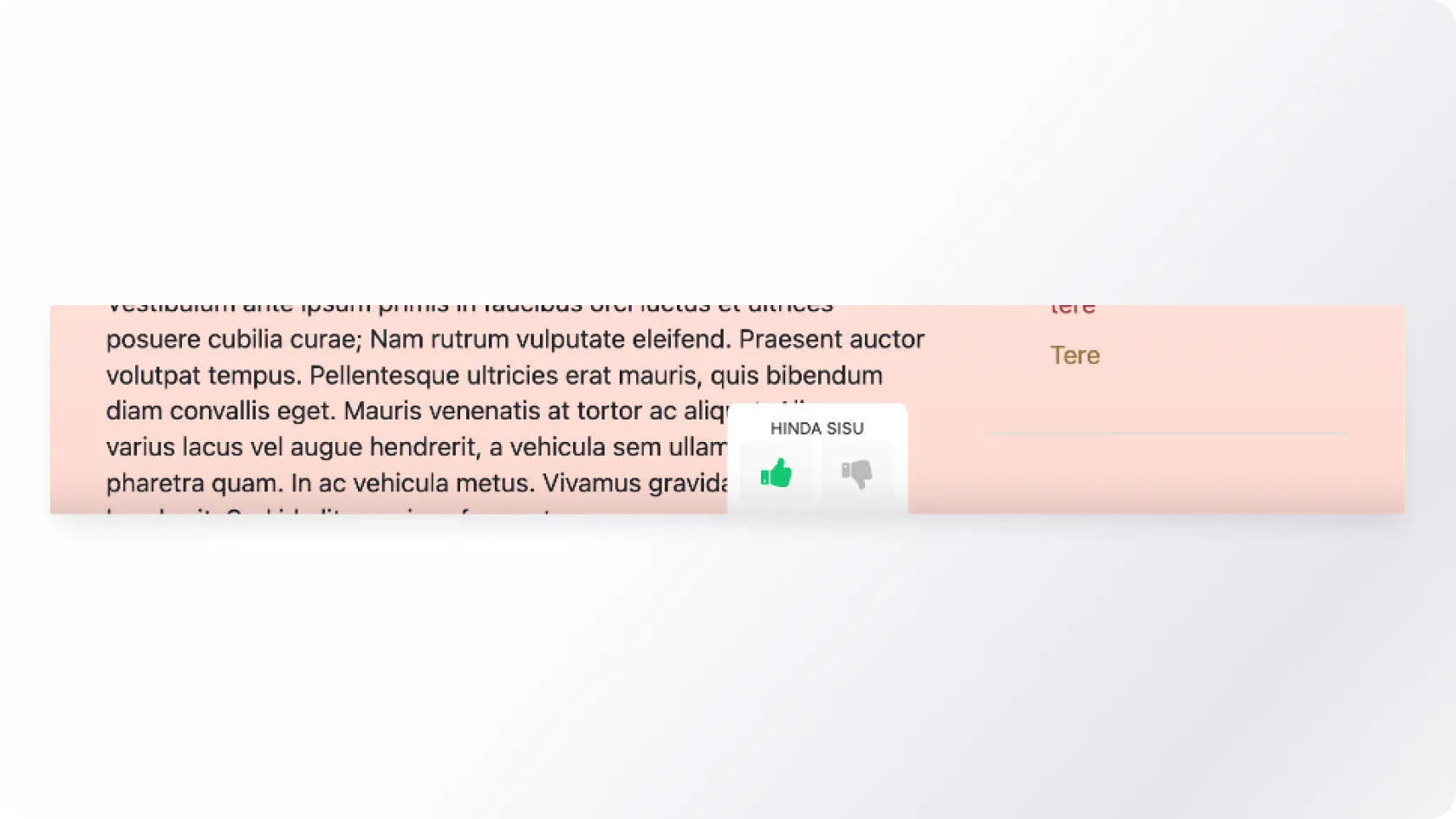
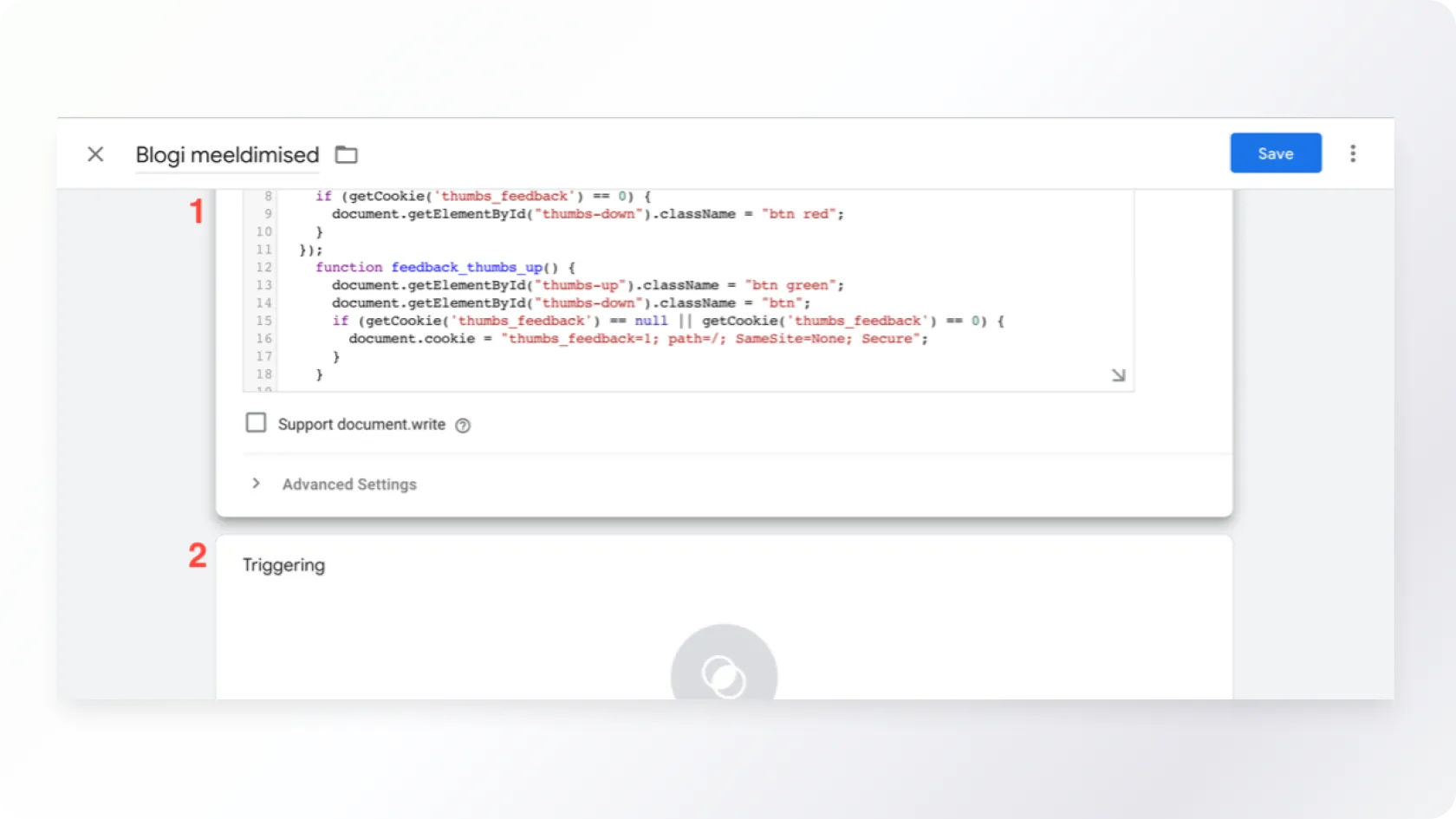
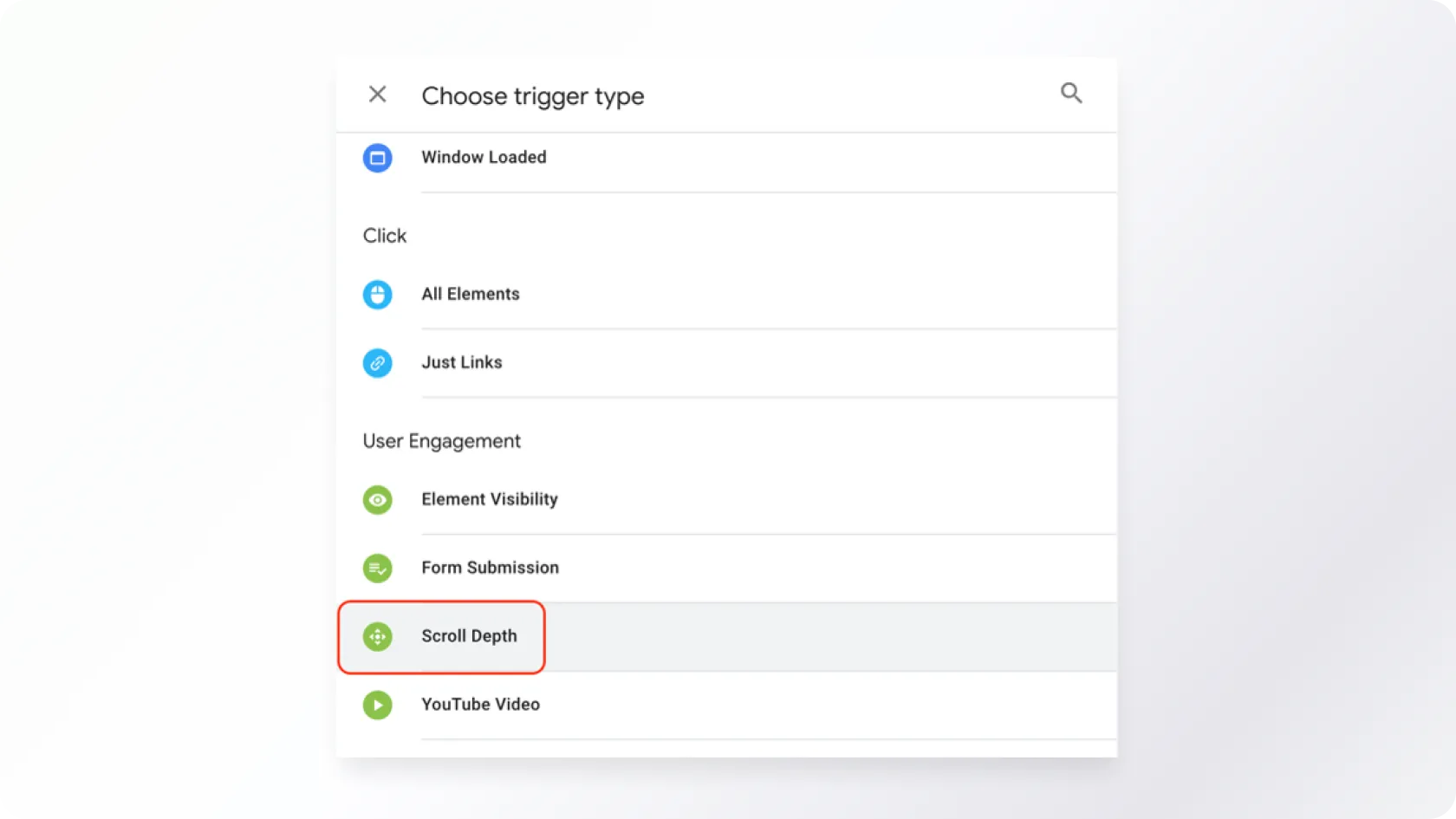
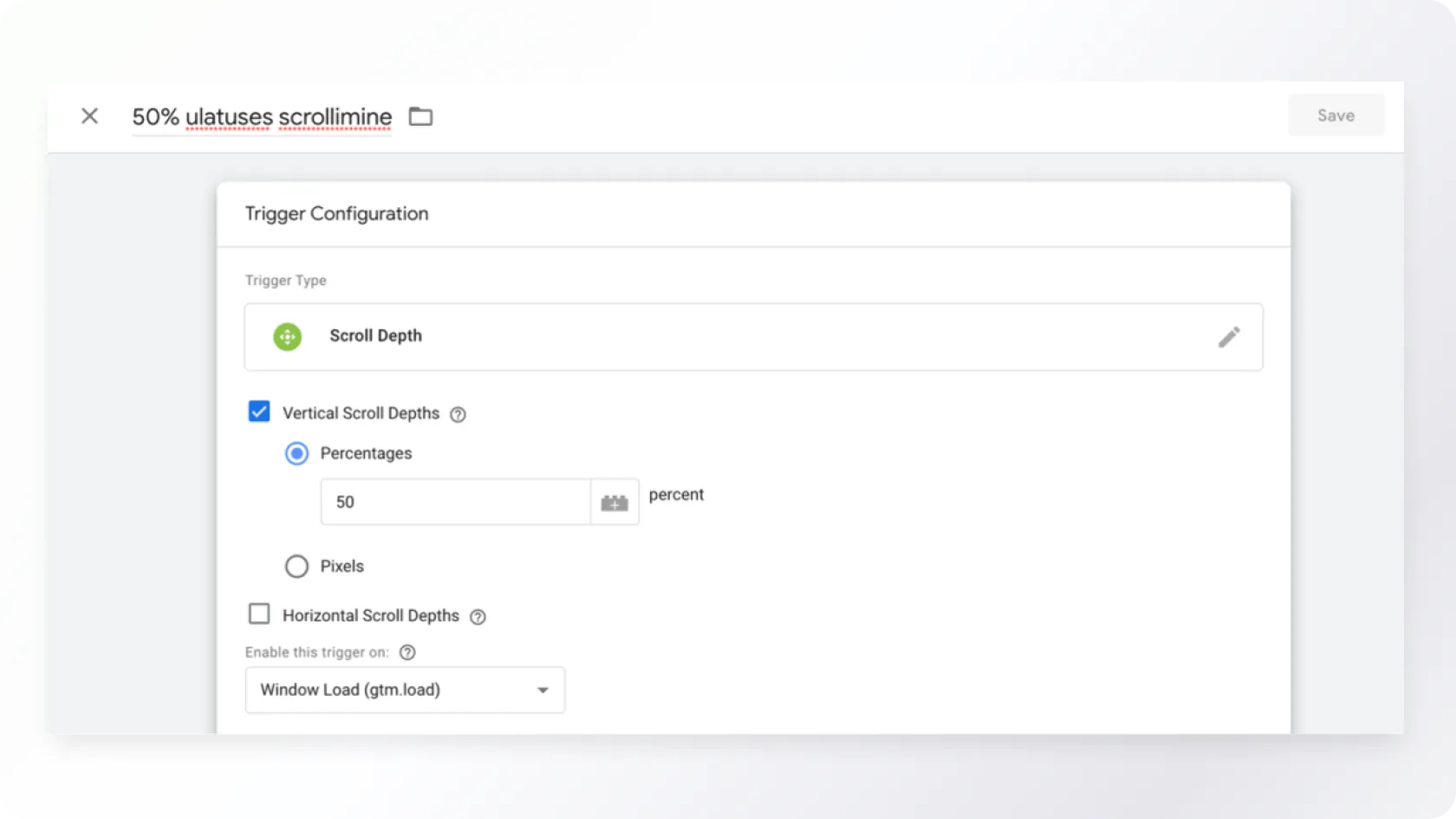
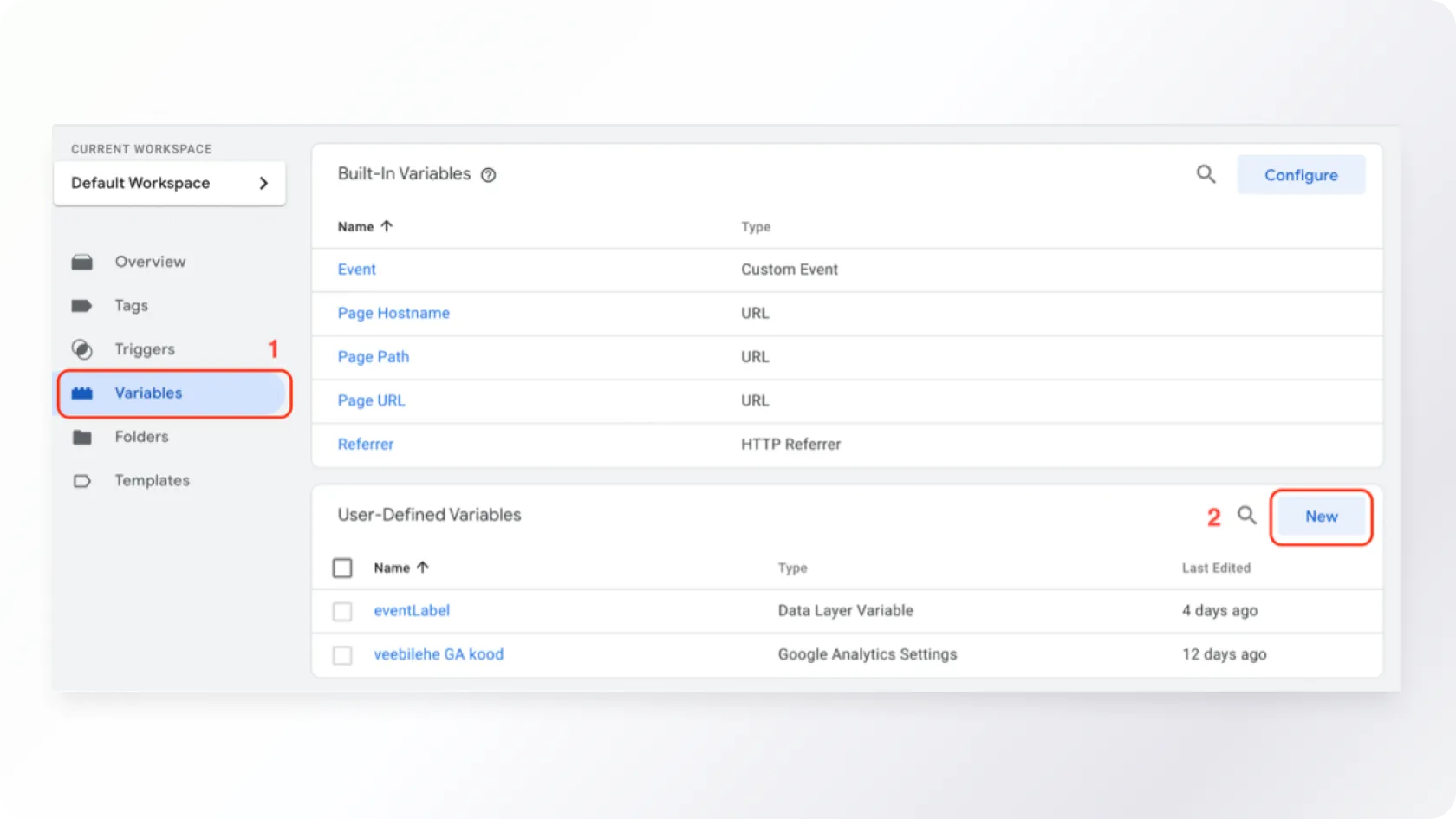
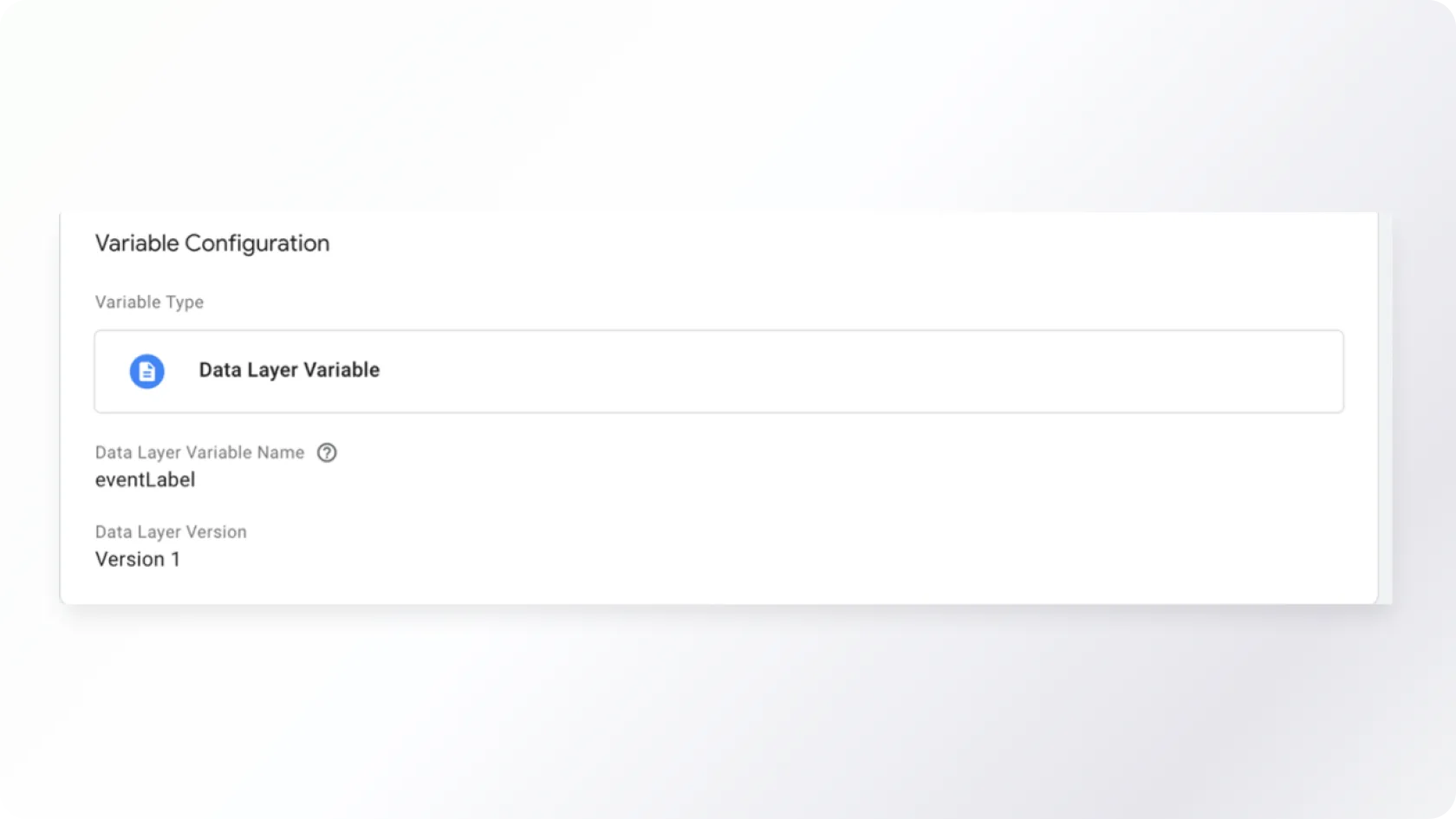
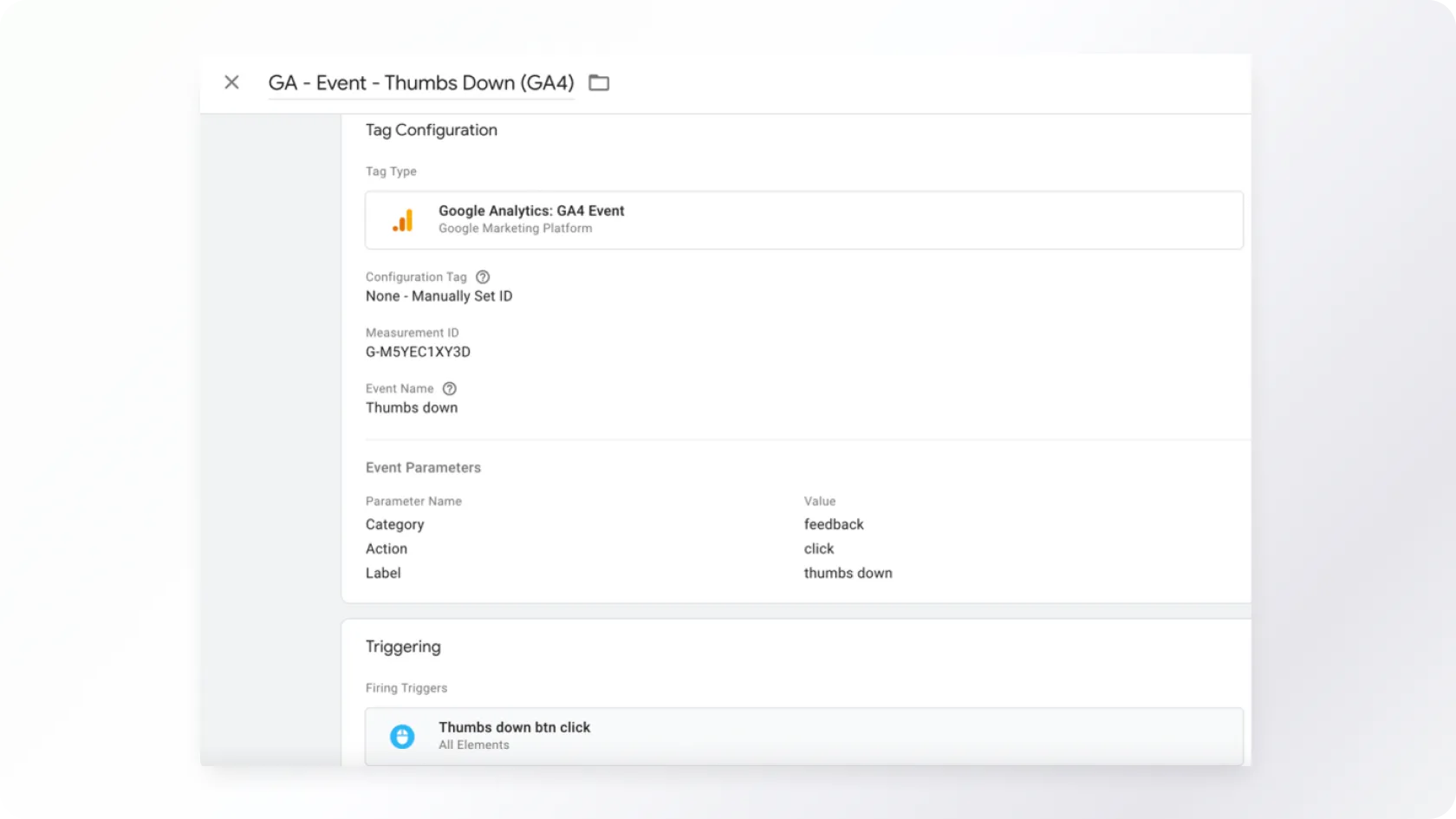
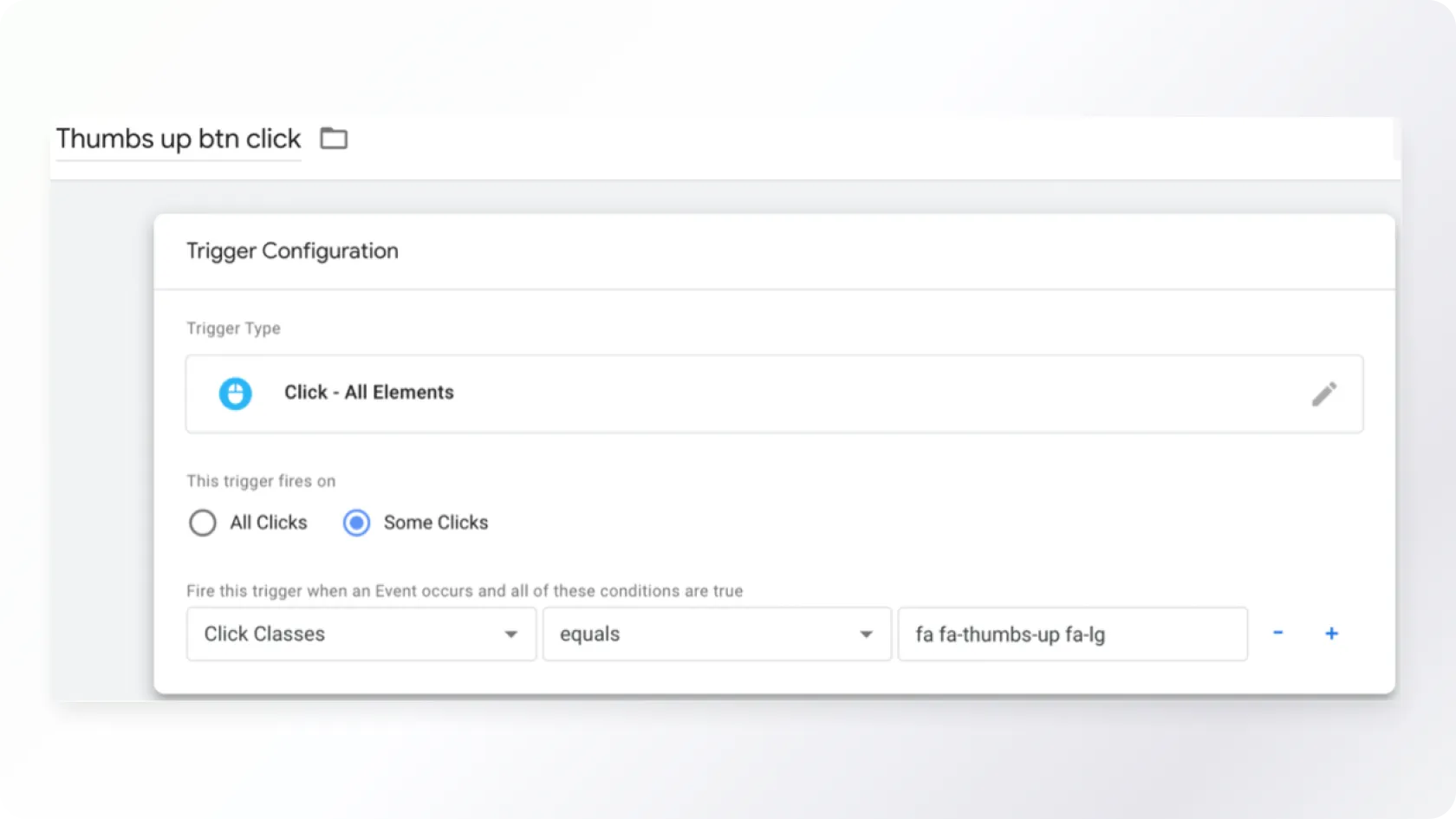
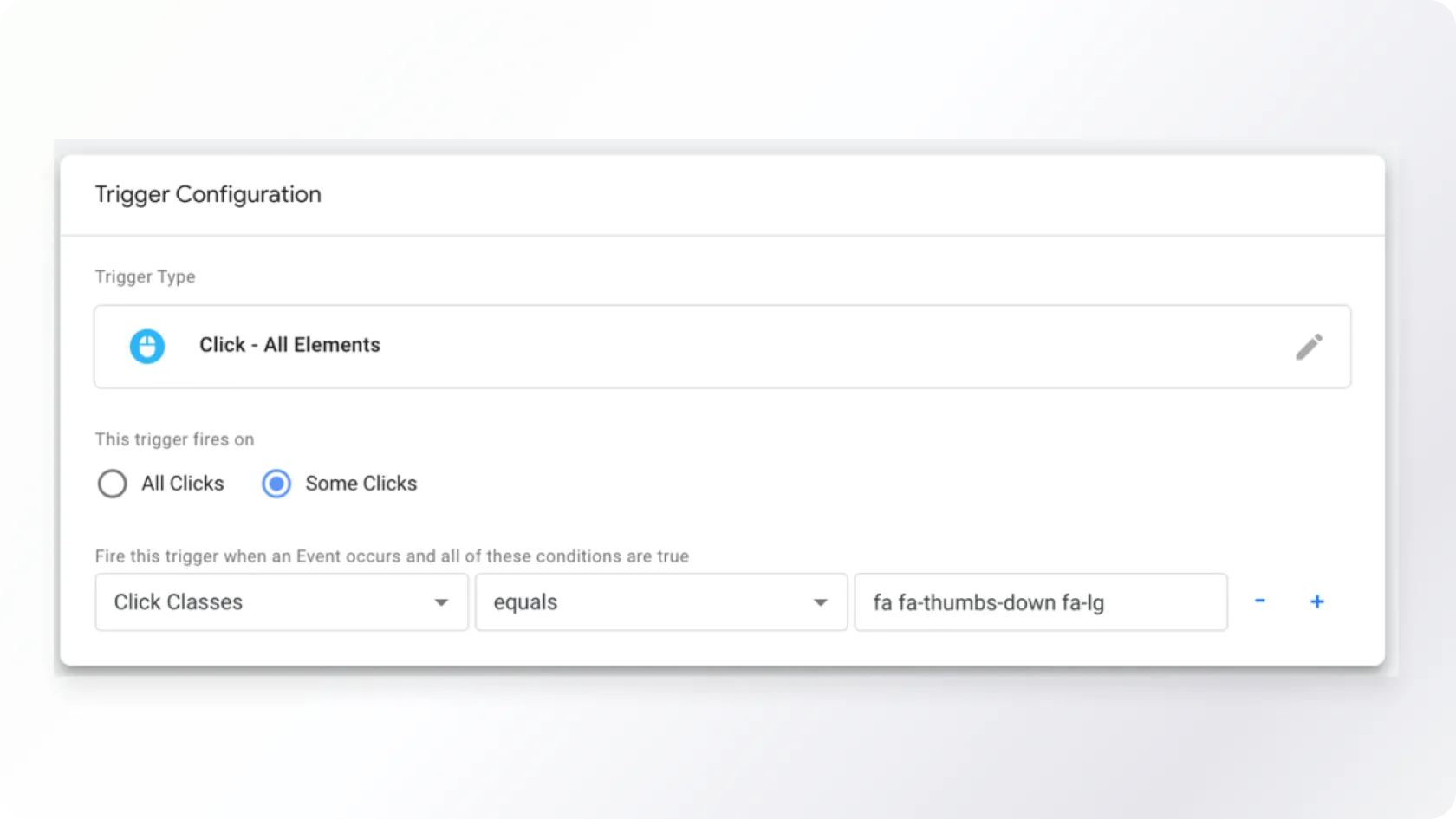
Assuming you have already set up GTM and GA4 and added the necessary tracking codes to your website, you now want to track the post "likes" statistics, but there is no separate button for this code. In this case, we create the corresponding buttons in GTM and use them to send statistics to GA.
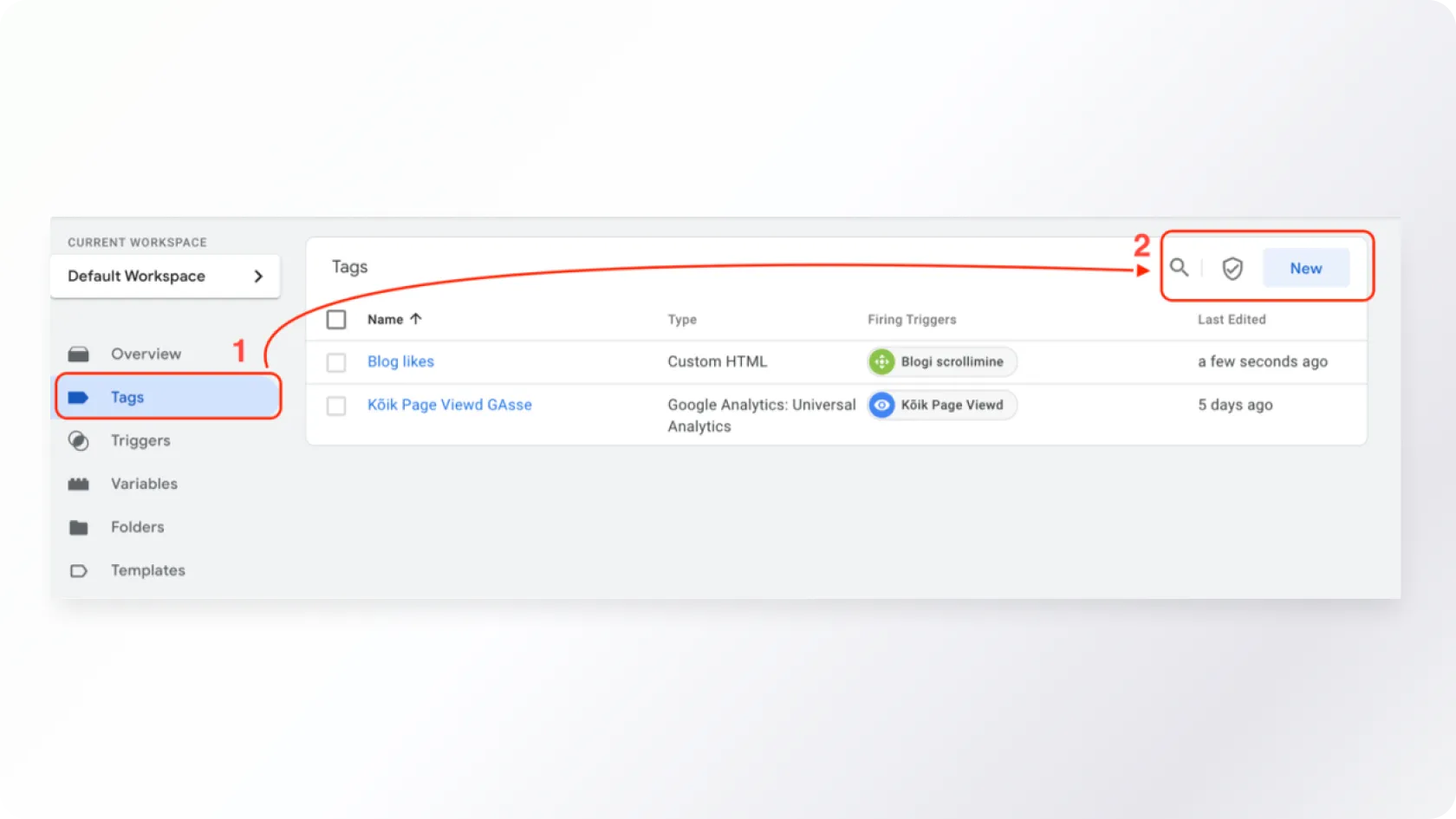
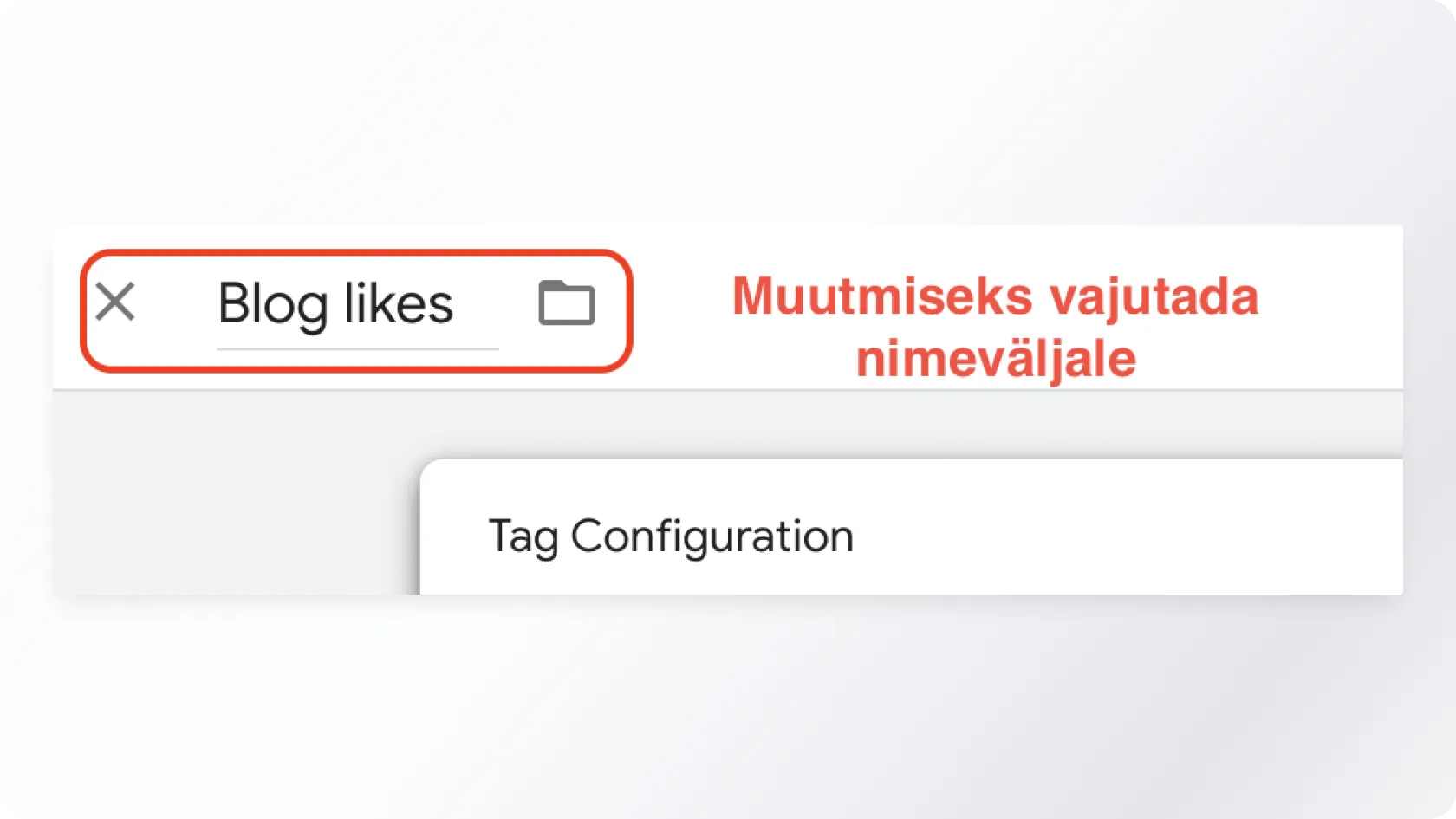
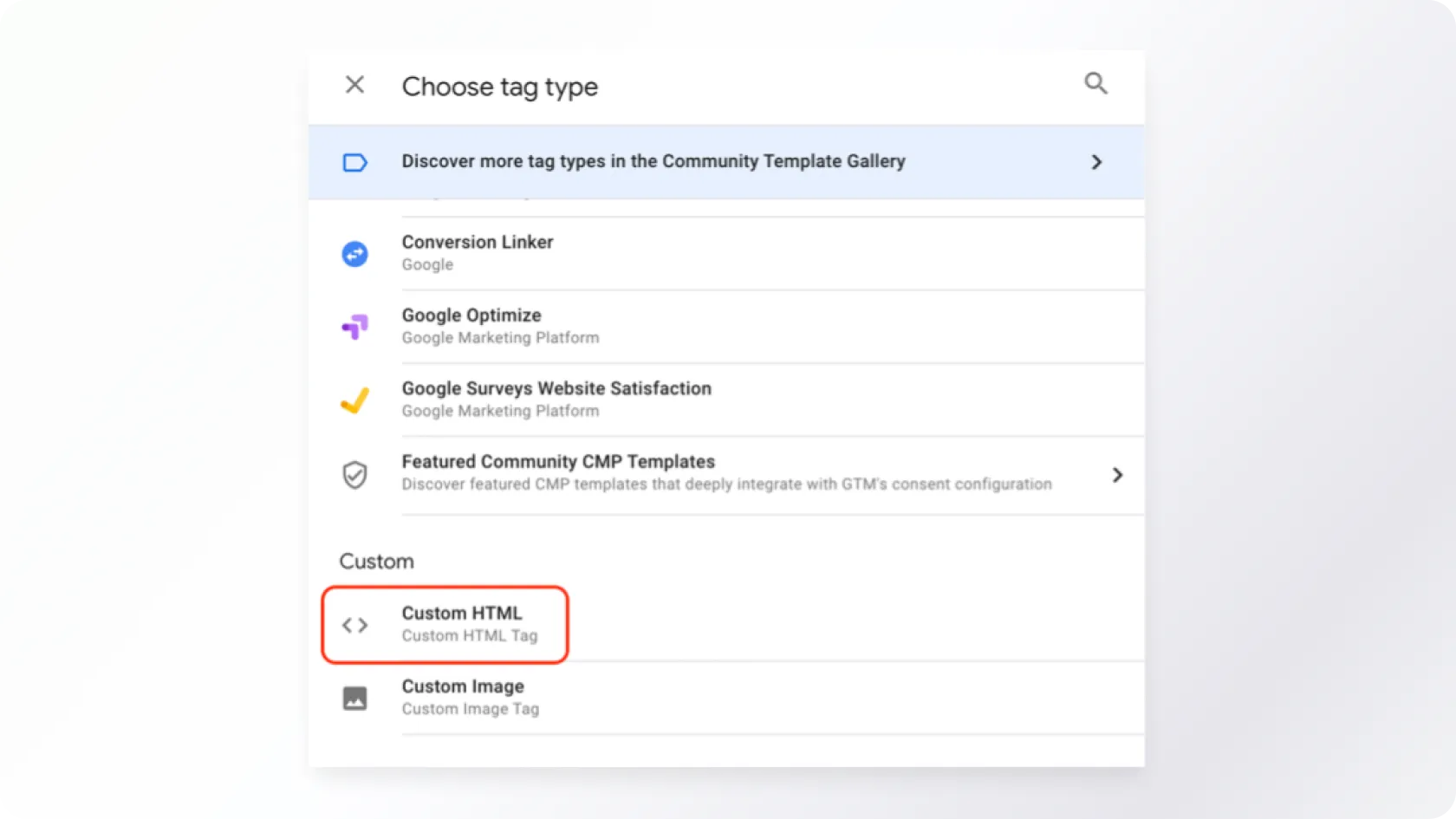
Testing and Verification of the Created Solution
If all the above steps have been completed, it is time to check if everything is working properly and if the information is being sent to GA. To do this, click on the "Preview" button in the GTM WORKSPACE menu.
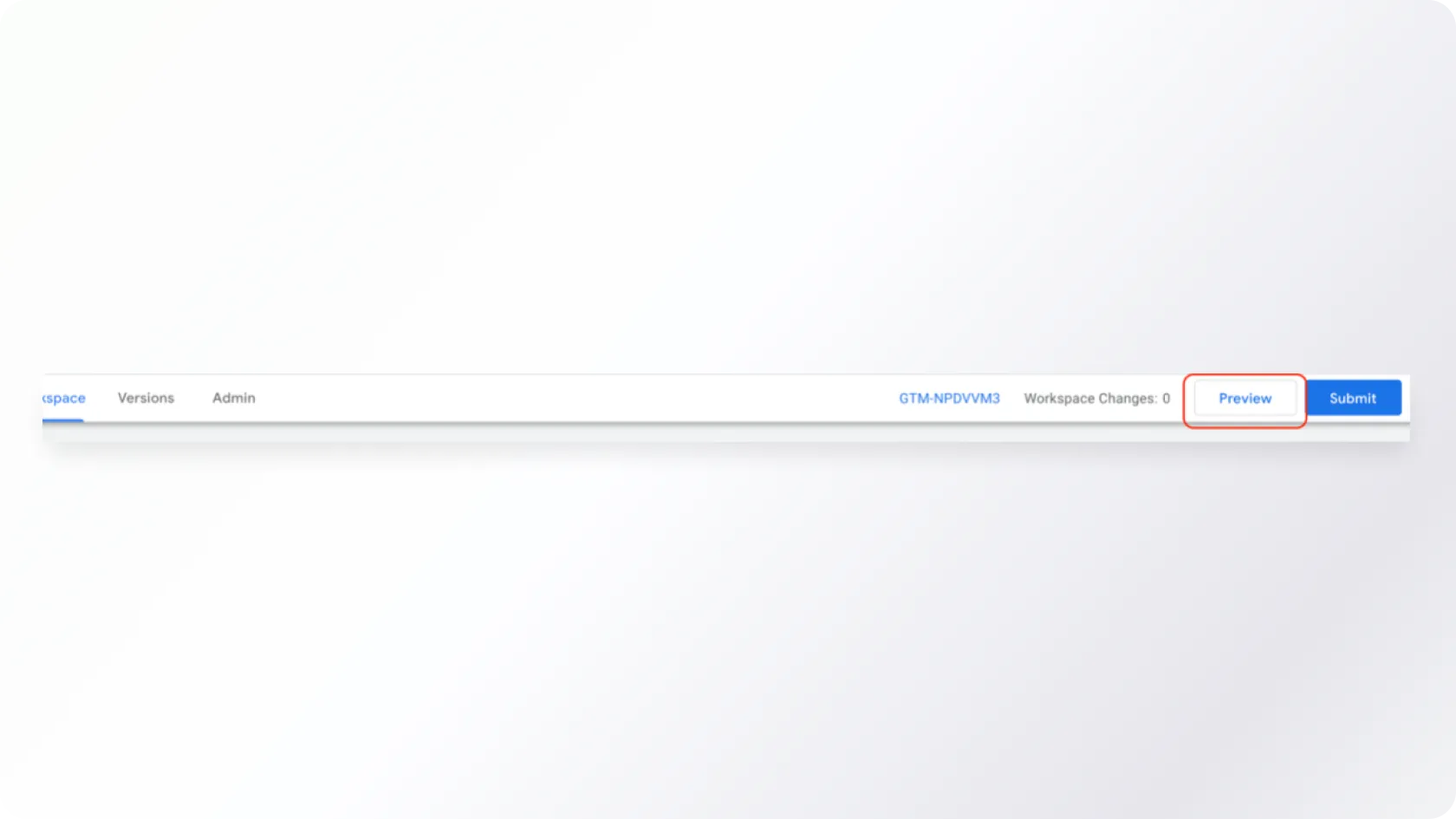
Figure 18. Preview button
Then go to the desired web page and perform a hard refresh by pressing refresh while holding down Shift or CRTL+F5. As a result of loading the page, the just-made tags should be visible in the Tags Fired section. If you click the Thumbs up or Thumbs down buttons in the blog, the view should be as follows (with the corresponding Thumbs up or Thumbs down button tag visible):
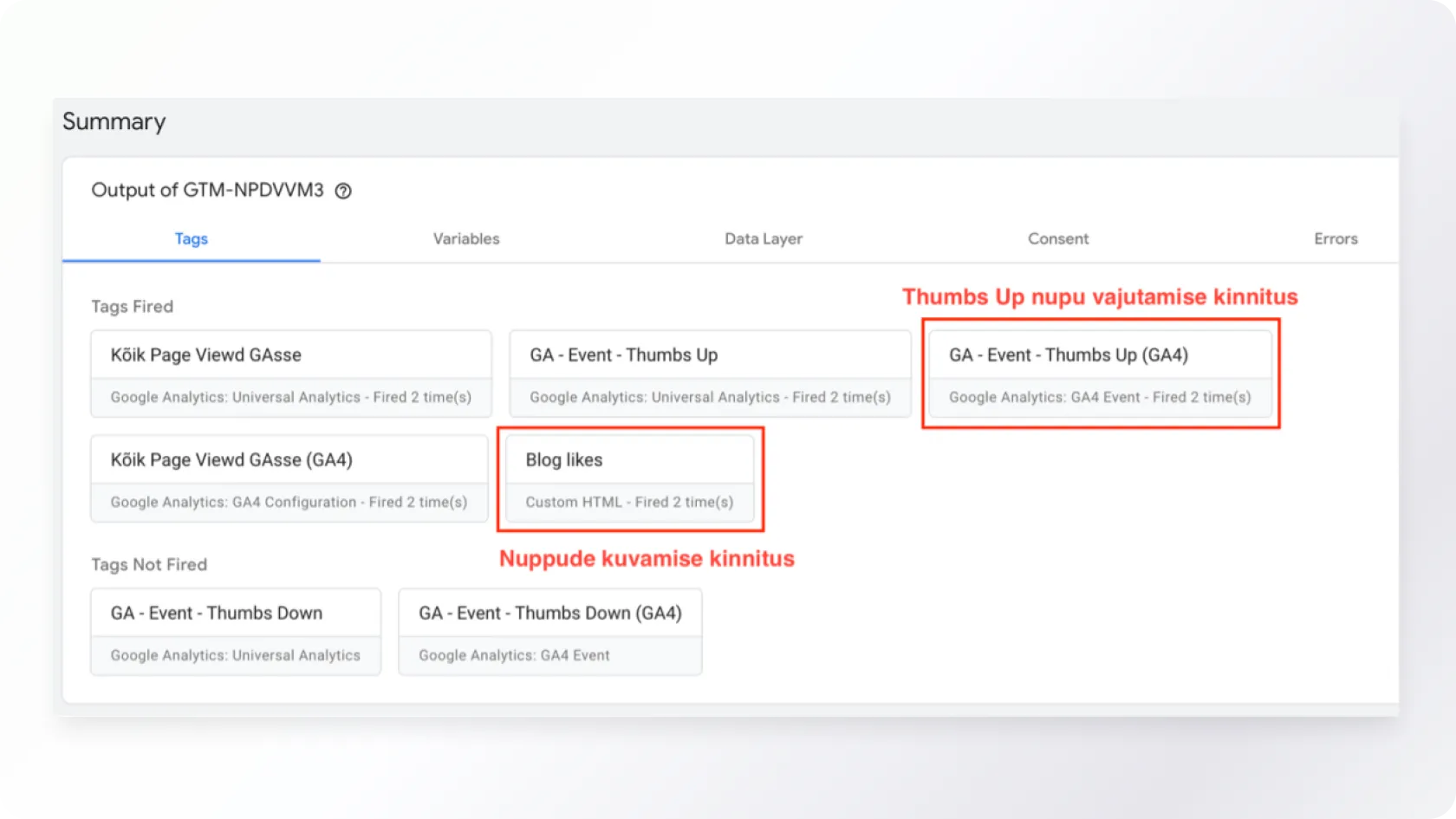
Figure 19. Checking if the solution works
If all the added tags are working properly, we will check if the corresponding information also reached GA.
It is important to know that GA almost real-time updates the data obtained from GTM. This means that after pressing the button, the trigger should activate and send the data to GA. However, processing and displaying the data in GA reports may take more time, as GA uses a sample to aggregate large volumes of data.
Select Real-time from the left menu and then look for Event Count by Event name section to see the results quickly. Here, you can see if the button press data reaches GA nicely. If everything is working, the created event will be visible (see Figure 17).
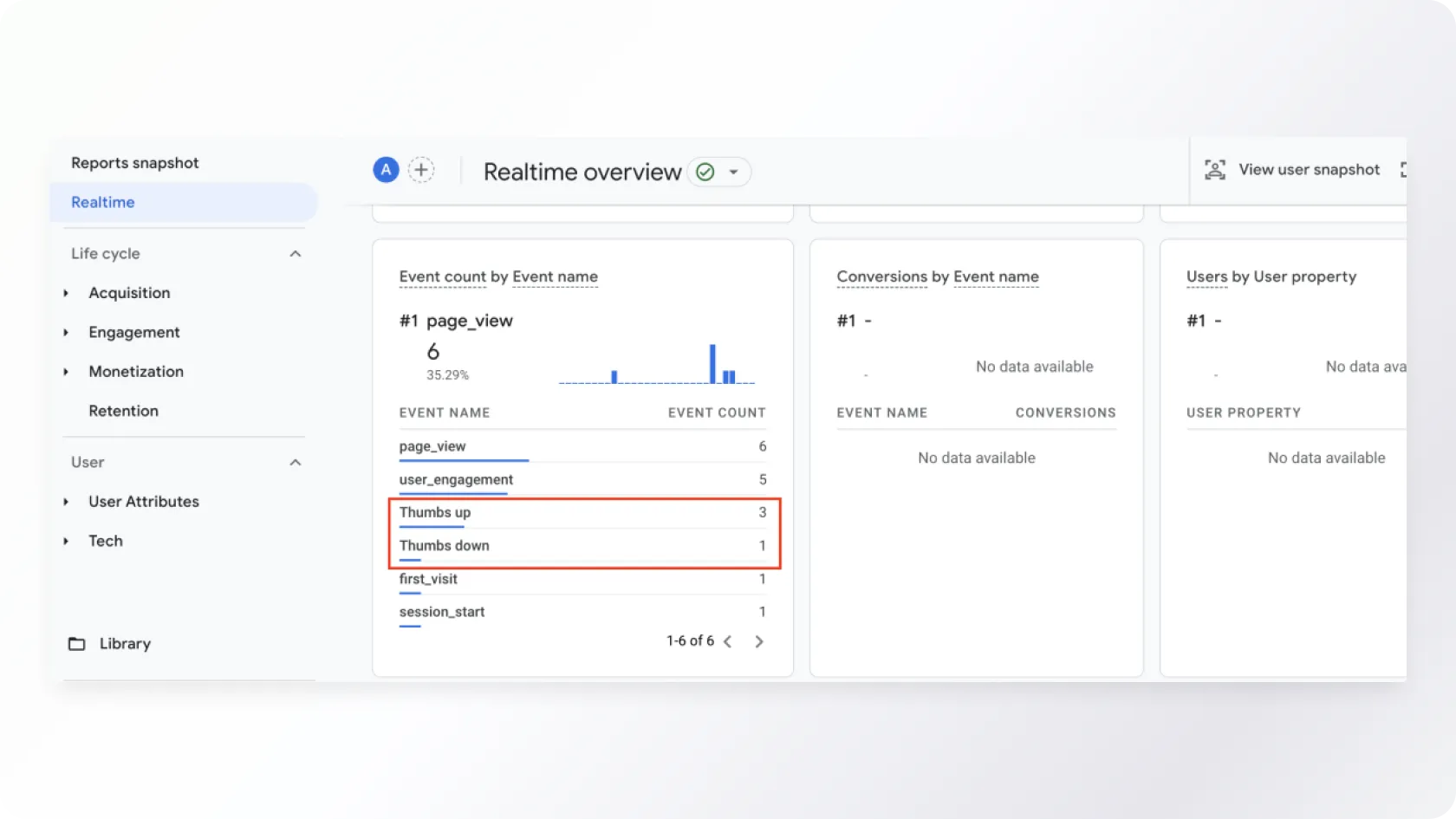
Figure 20. Viewing the results
If more than 48 hours have passed since the addition, it is possible to see more detailed results by selecting Engagement – Events.
Setting up tags, triggers, and variables in GTM may seem complicated, especially for those new to the platform, but practising and gaining experience makes it easier. To implement and debug the configuration, it is important to clearly understand your goals and be familiar with the terminology.
We hope you liked our our practical guide helps you in your work and makes the process of tracking website data smoother, facilitating statistics collection, and campaign optimization. And all of this without requiring technical knowledge.
Would you like to discuss your ideas?
You can contact us at any stage of the project - from the development of the idea to the creation and evaluation of new digital solutions.

Get in touch
Write or call, and together, we will find the best way to bring your idea to life. We will reply shortly, and our experienced team will ensure that the project will succeed from the very first idea to the final execution.