
Effective requirement management and tracking with Requirements Yogi
NB! Please note that the product features listed in the article may change over time.
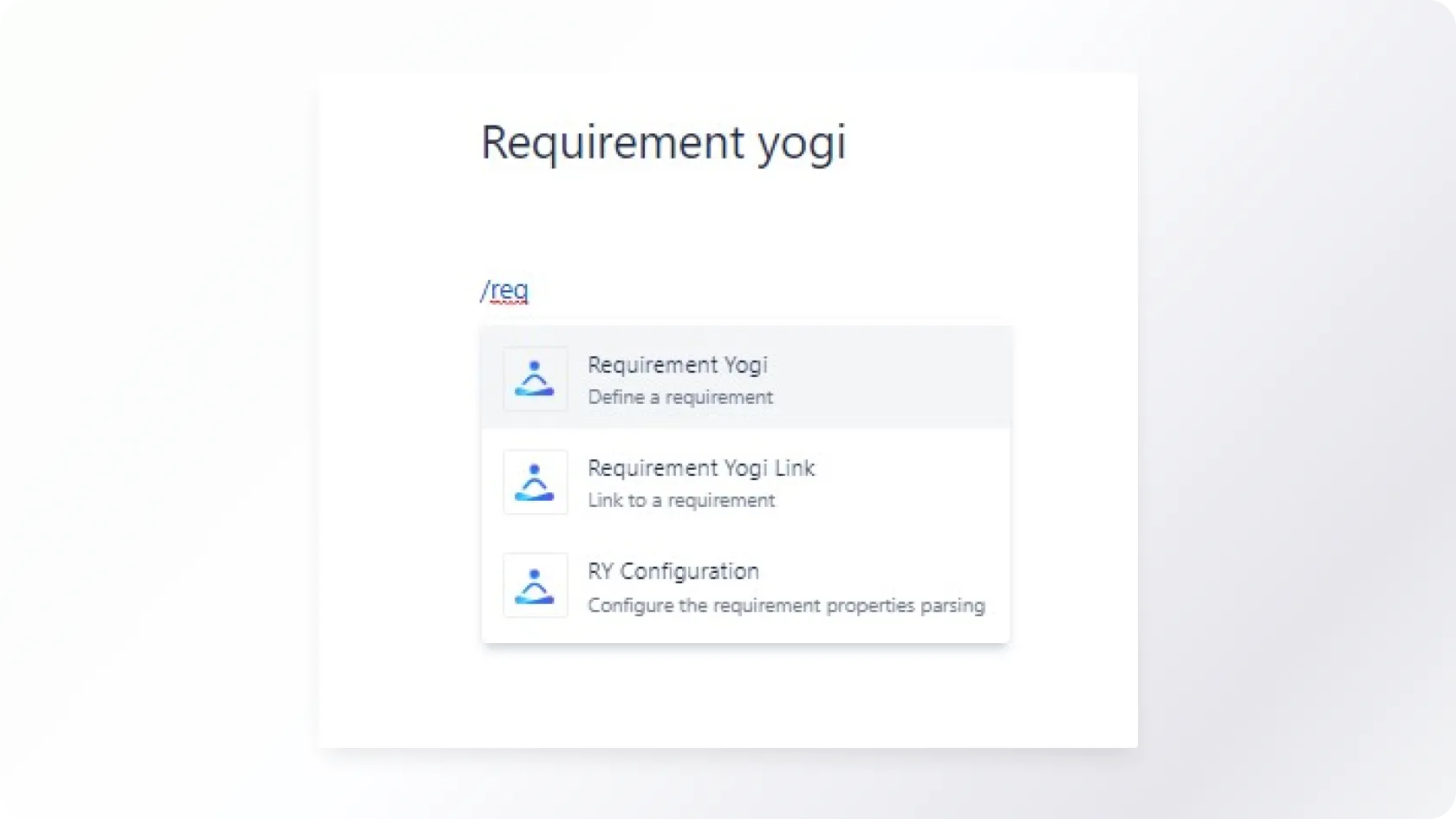
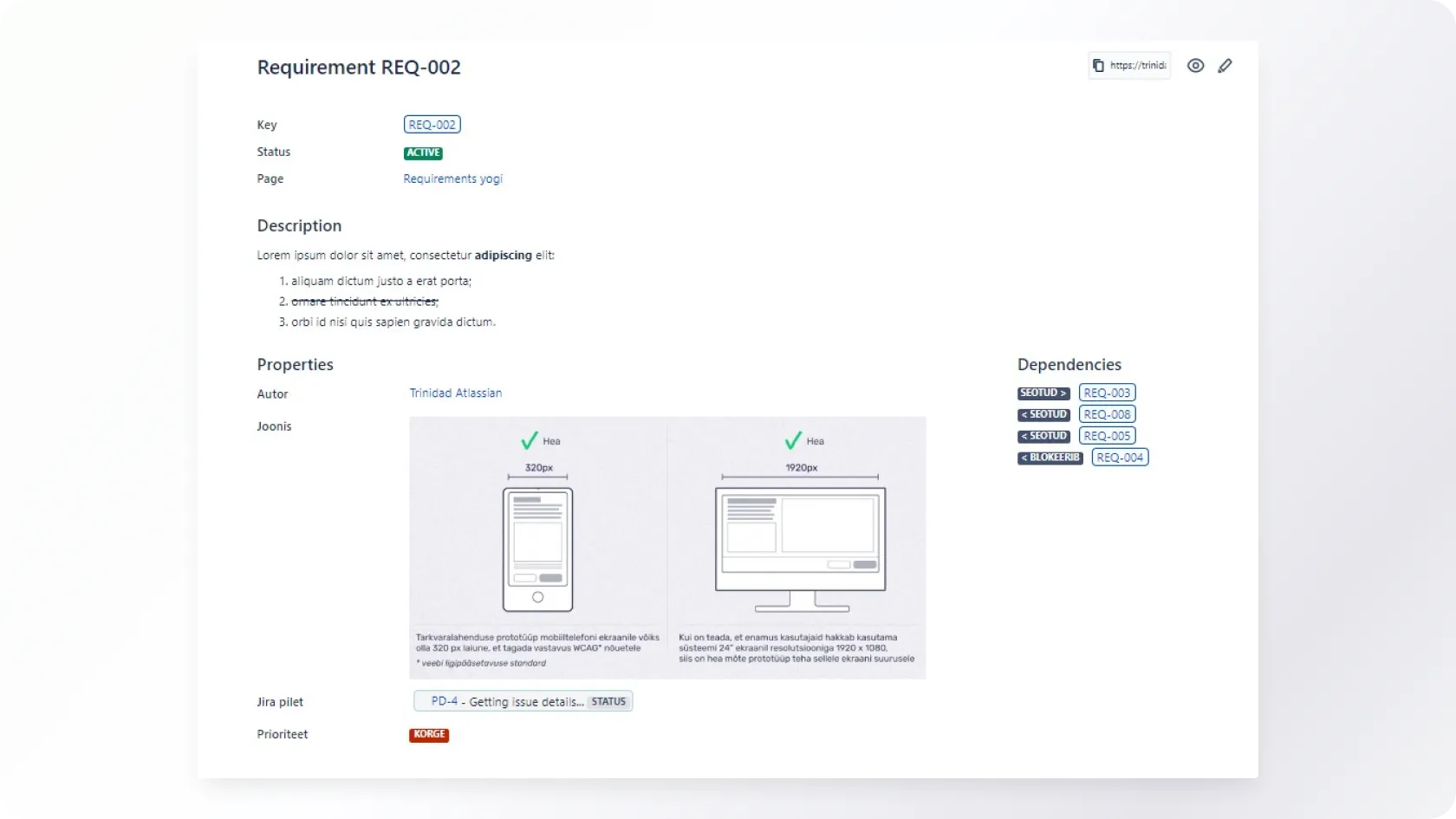
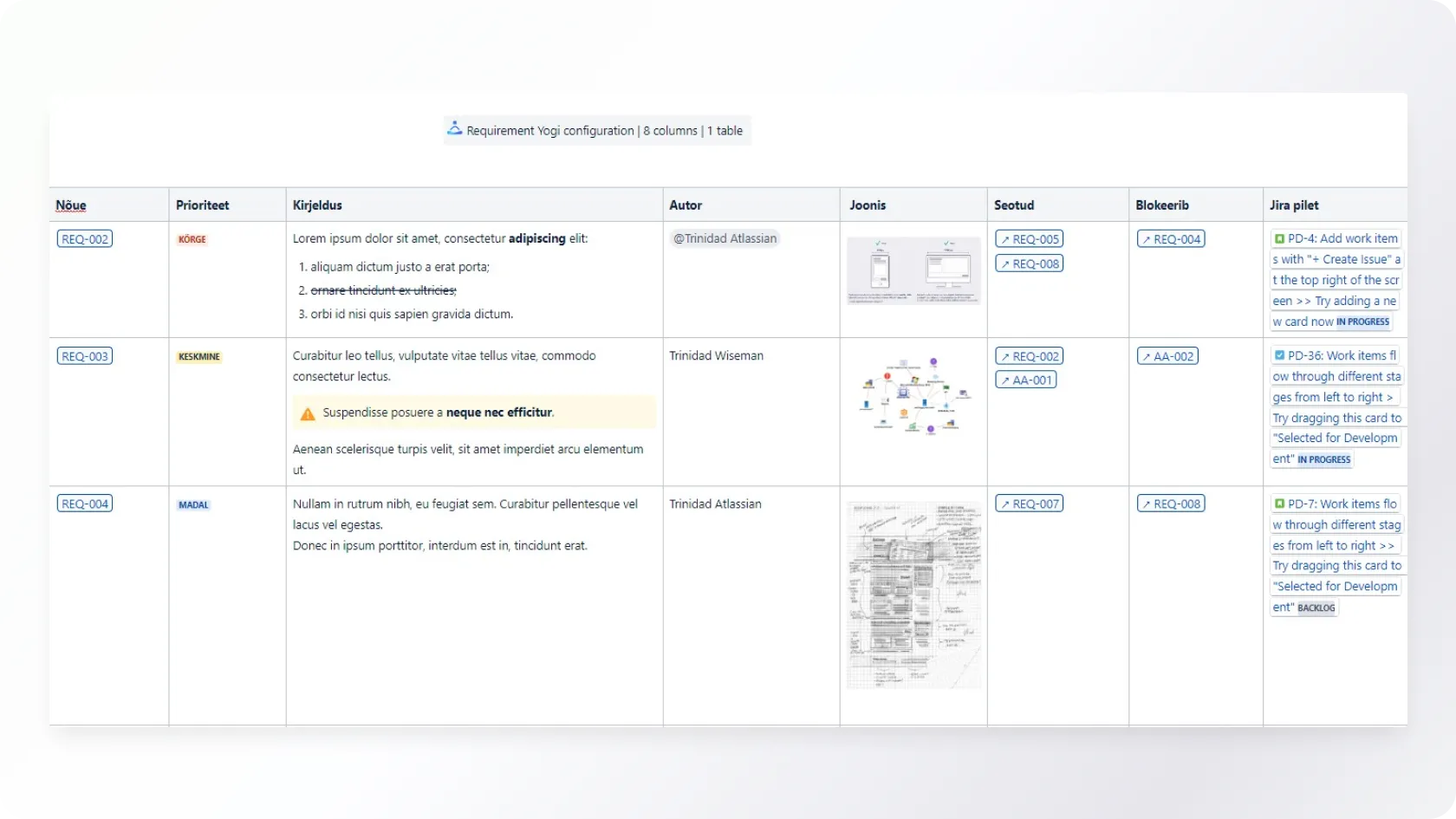
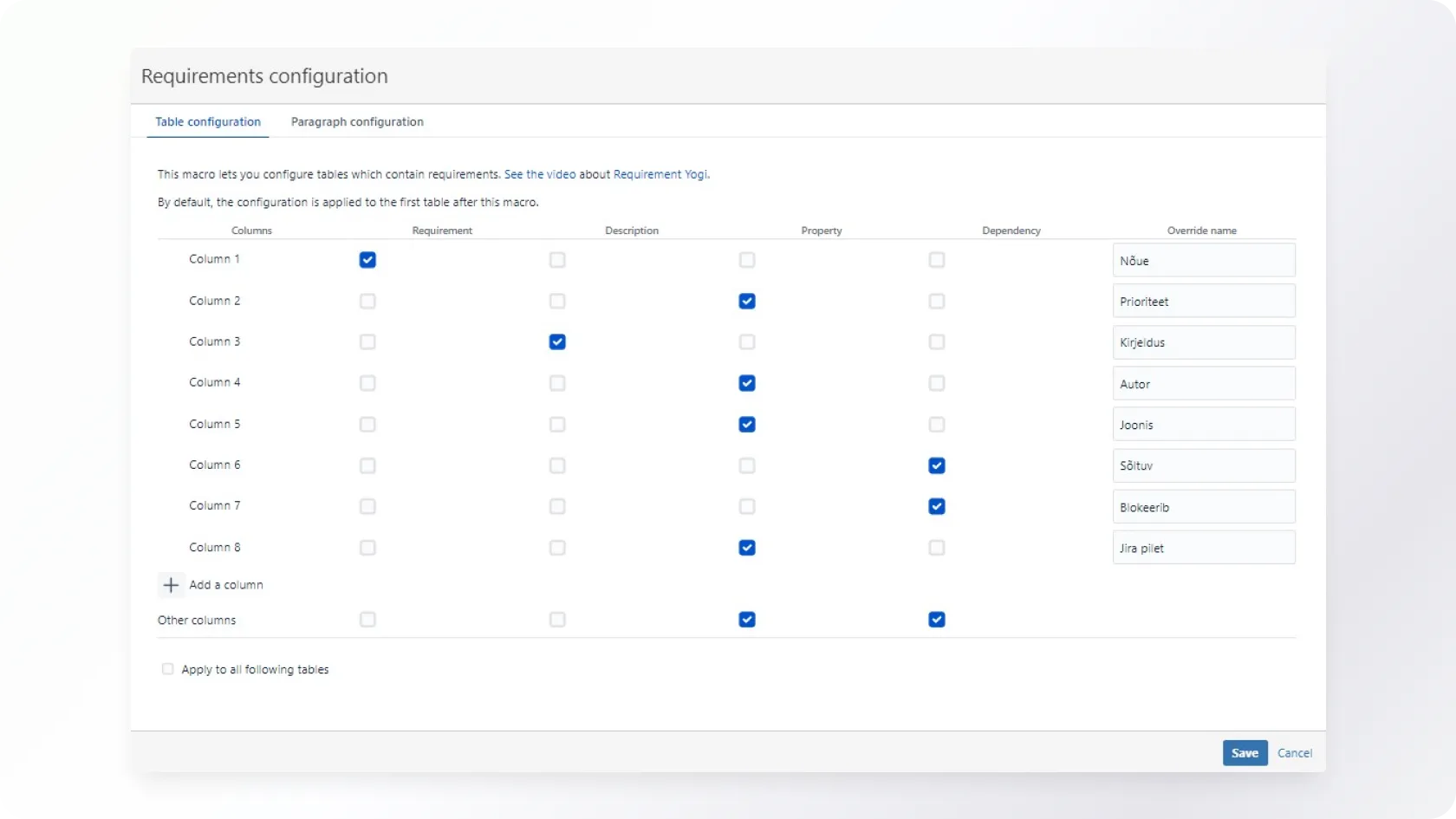
Requirements Yogi is an application for Confluence and Jira that allows you to describe and track requirements efficiently.
The following post will provide an overview and give examples of Requirements Yogi plugin on the Confluence Cloud platform.
In addition, Vesta Laansoo, the team leader of support information systems at the Centre of Registers and Information Systems (RIK for short), reveals the reason for implementing Requirements Yogi and describes the situations where it facilitates requirements management.
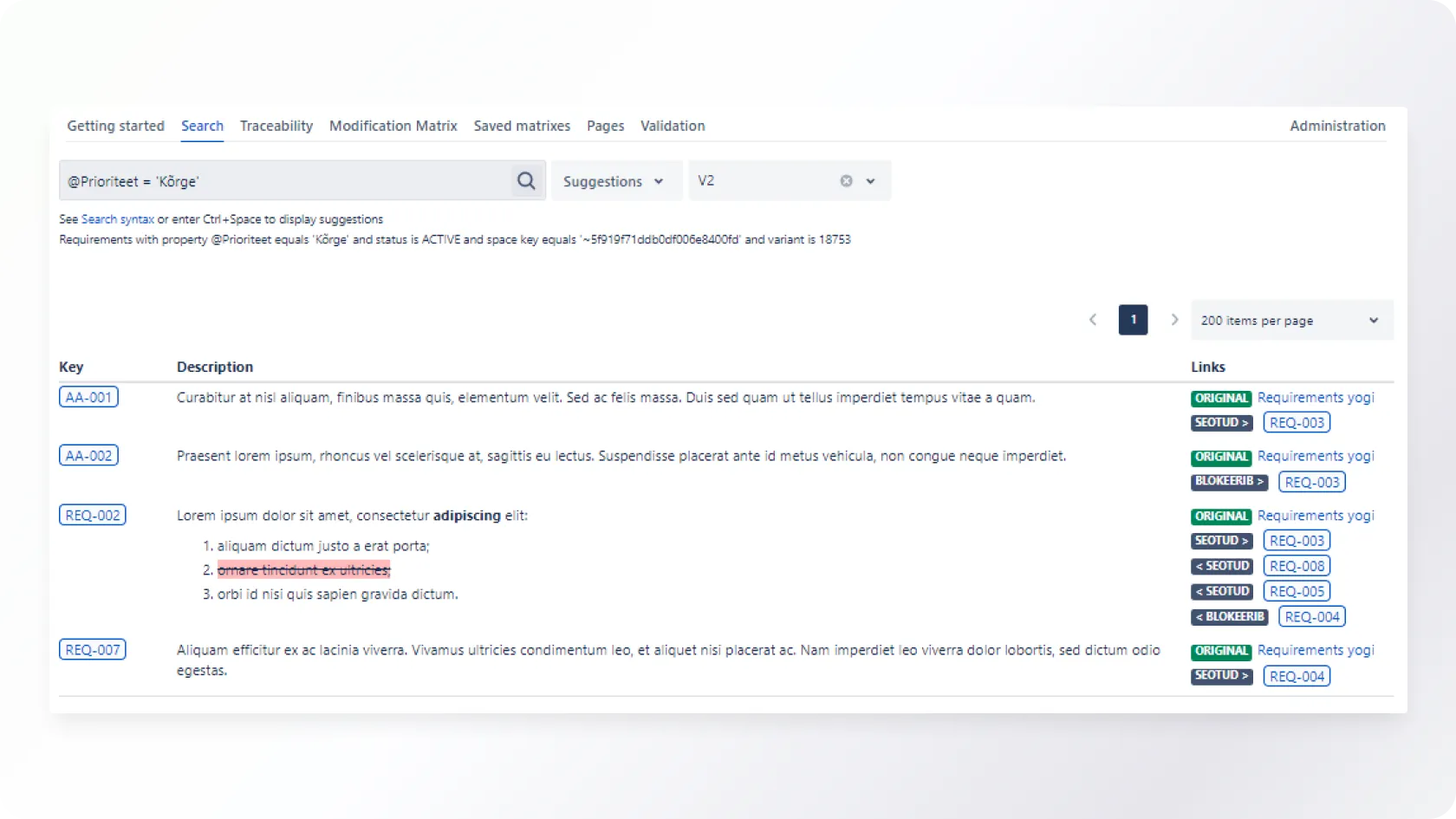
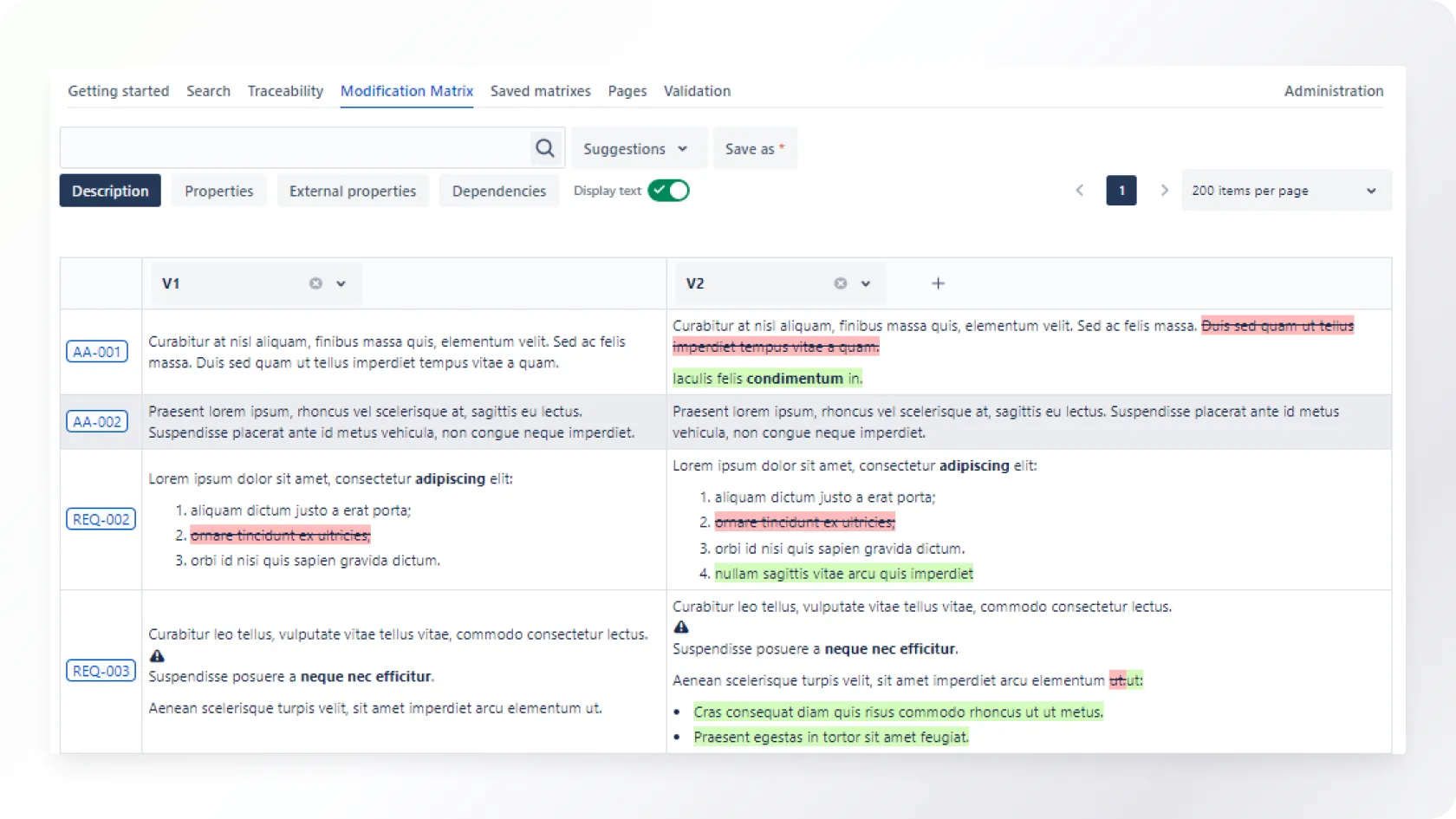
Centre of Registers and Information Systems user experience with the Requirements Yogi plugin
The Centre of Registers and Information Systems uses the Requirements Yogi plugin to describe requirements in Confluence.
The application is implemented on an on-premise platform, but the product's core features are similar (except for variant functionality).
We asked Vesta Laansoo, team lead of RIK information support systems, about the need for Requirement Yogi and how it creates additional value.
How did you come up with a decision that you needed the Requirements Yogi plugin?
"There were some downsides to the options we had in the past, and Confluence didn't have another referral solution for us," Vesta said.
What is the primary value of Requirement Yogi for your team?
"Requirements Yogi allows you to use referencing for similar requirements instead of copy-paste. It also helps to keep the requirements up to date with less effort - by describing the component used in different requirements as a separate requirement," she explains.
"Thus, through the reuse of requirements, it is easy to show connections and display the whole to form correct and traceable documentation," the team leader summarizes.
Would you like to discuss your ideas?
You can contact us at any stage of the project - from the development of the idea to the creation and evaluation of new digital solutions.

Write or call, and together, we will find the best way to bring your idea to life. We will reply shortly, and our experienced team will ensure that the project will succeed from the very first idea to the final execution.