
Do projects often run over deadlines? Learn how to manage resources and time in Jira more effectively
Jira's tickets, workflows, and visual views provide an easy way to get an overview of current work. However, from a project management perspective, just having a view of tasks may not be sufficient without insight into employees' workloads.
Successfully meeting project deadlines can often depend on understanding workload metrics, which help determine to whom and to what extent tasks can be assigned.
In the following article, we will describe how Activity Timeline supports resource management and time tracking in Jira.
Why to use an additional application for Resource Management and Time Tracking - isn't Jira enough?
Let's imagine the following hypothetical situation.
Requirement: The project manager needs to get an overview from Jira of the total number of hours that the employee Mari has logged in the project ABC.
Jira has a "Time tracking" field through which you can log the time spent on a ticket; we assume that Mari has entered values into this field for the tickets of project ABC.
If a project manager needs to get an overview of the total hours logged by Mari on project ABC, they can query "project = ABC and worklogAuthor = Mari Demo" in issue search and display the "Time Spent" column.
However, if multiple people have logged time on the same ticket, the "Time Spent" field sums up all users' logs without detailed filtering by user.
This basic use case demonstrates that Jira's standard functionalities might not be sufficient* to handle more complex resource management scenarios.
*In theory, one could manually extract log details from issue history and enter them into a spreadsheet, but this is impractical for large volumes of tickets, effectively creating a full-time job.
How to start with the implementation?
Like with any new solution, it’s essential to start by mapping out the needs to understand the required functionalities. Common requirements from a project or team manager’s perspective may include:
- Setting up employee profiles with availability, role, and skills.
- Configuring teams with associated projects, team lead, and members.
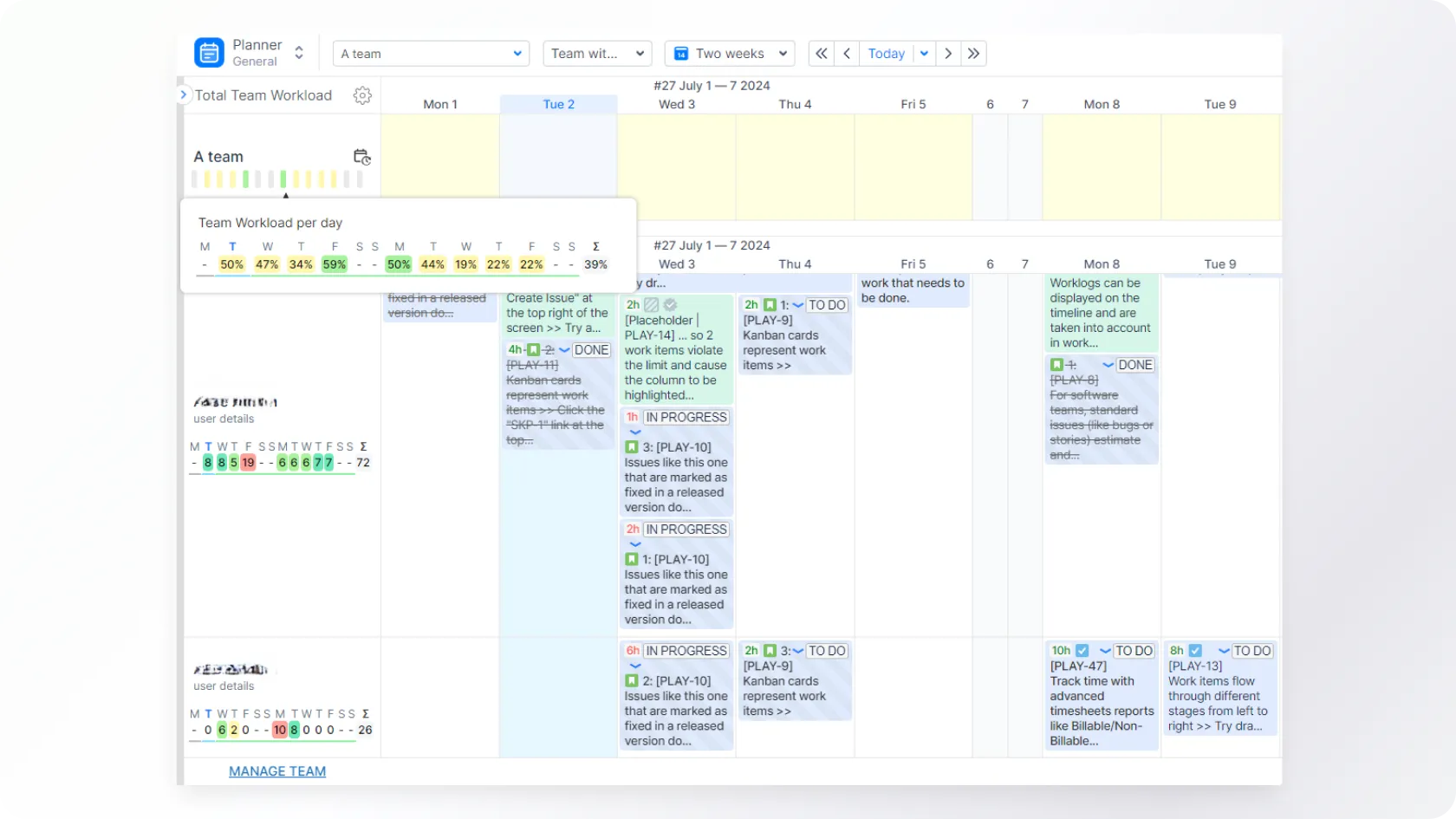
- Gaining an overview of employee availability over time (day, week, or month).
- Viewing team availability over time.
- Monitoring employee resource usage on specific projects.
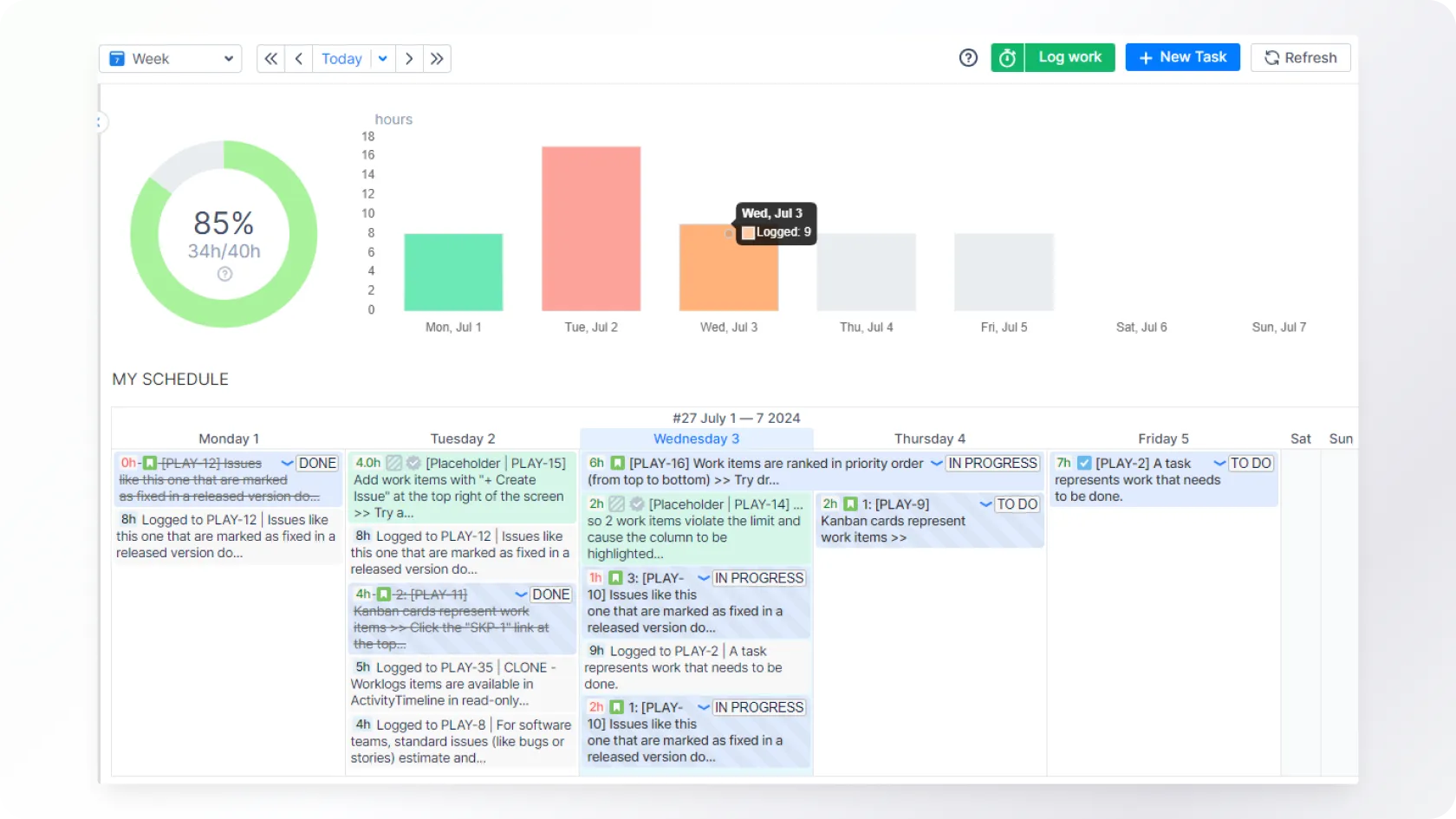
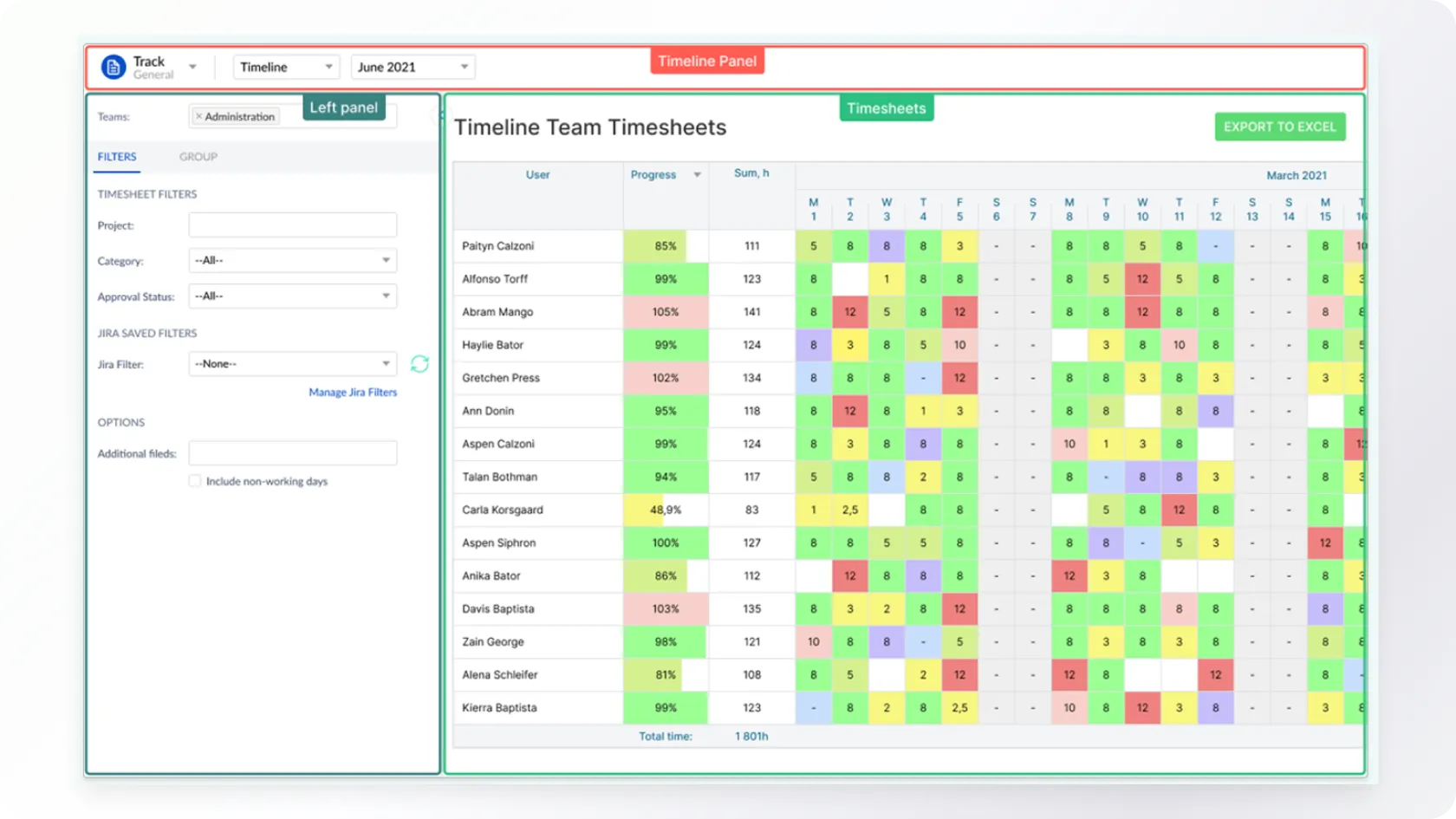
- Tracking employee time logs per ticket or project.
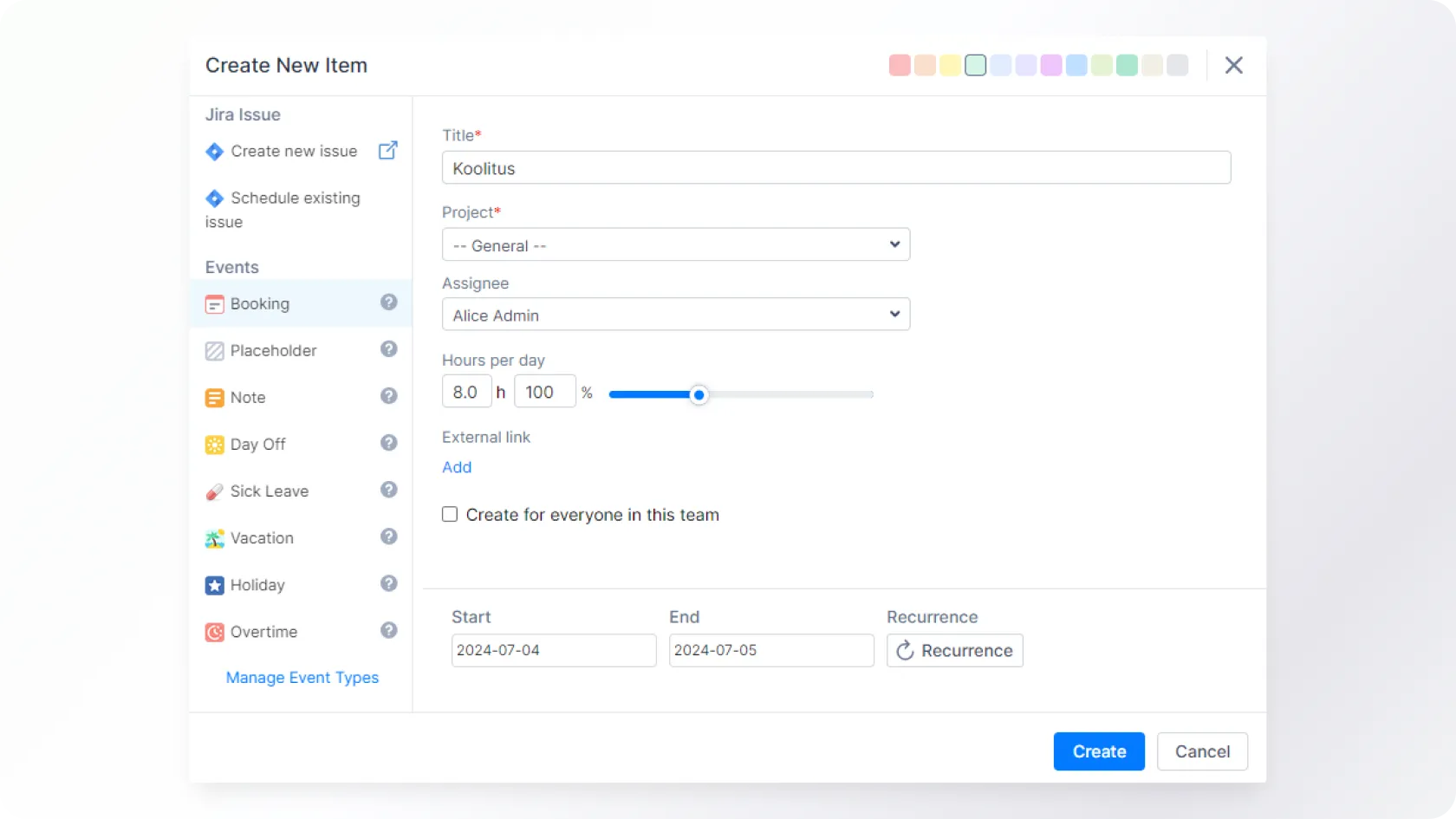
- Managing placeholders and reservations without creating tickets.
- Comparing planned vs. actual time usage.
A key focus is also often on visualizing data to make it user-friendly to observe and present. Next, we will explain how Activity Timeline’s various modules help in planning resources and visually managing and tracking time.
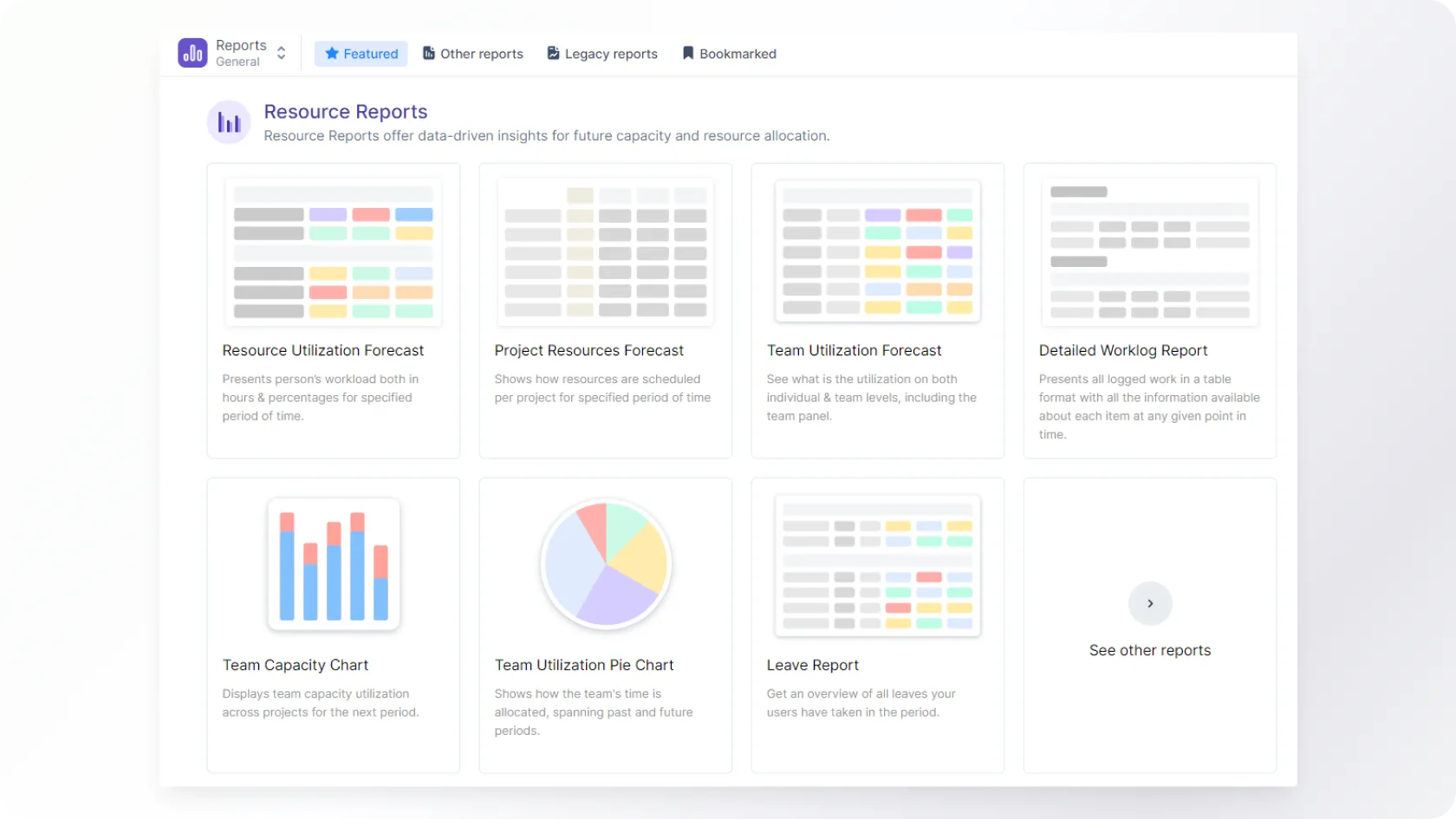
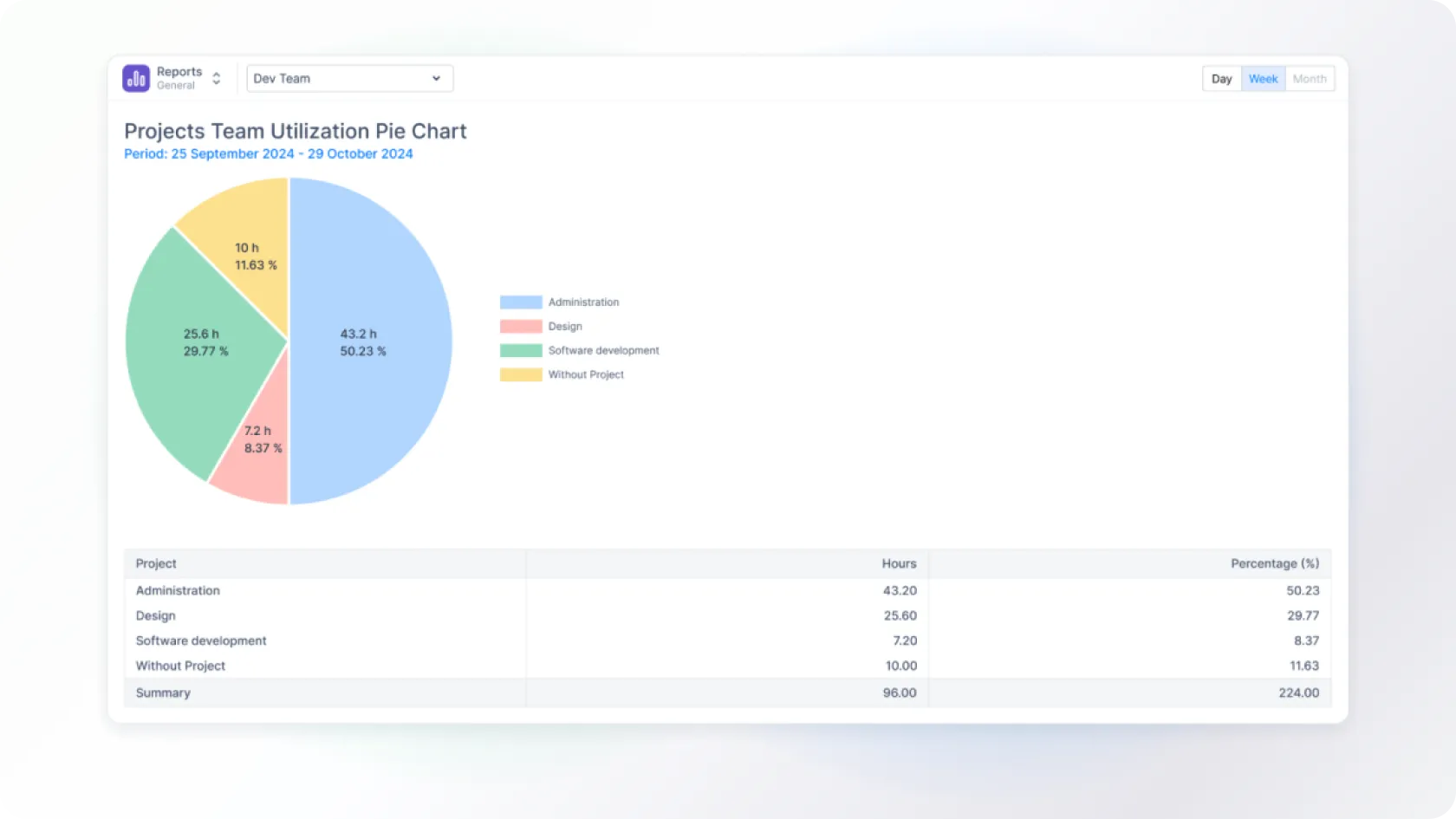
One Central Application for Efficient Planning
Activity Timeline can handle various use cases that Jira alone cannot, such as:
- Balancing workload and ensuring team members are neither overburdened nor underutilized;
- Time tracking and providing detailed insights into time spent on various tasks;
- Future planning and offering capacity forecasting to plan for upcoming project needs.
This significantly enhances Jira’s functionality, making it an invaluable tool for companies looking to improve resource planning and overall project management.
The application is available on both Jira Cloud and Data Center platforms. Learn more about how we can support your company during the implementation.
Would you like to discuss your ideas?
You can contact us at any stage of the project - from the development of the idea to the creation and evaluation of new digital solutions.

Write or call, and together, we will find the best way to bring your idea to life. We will reply shortly, and our experienced team will ensure that the project will succeed from the very first idea to the final execution.